
SuperSAN Online Help

| Virtual CD/DVD-RW burner | KernSafe Storage Center |
|
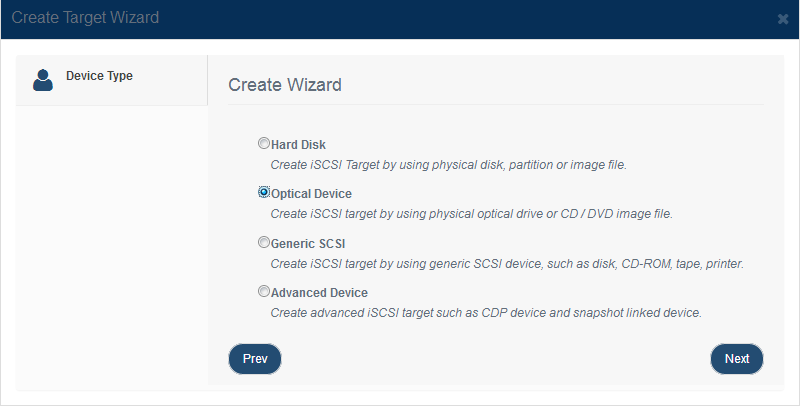
A virtual CD/DVD-RW burner creates a recordable optical target that writes data directly to an ISO file. After the target is connected to a client, it appears as a CD/DVD recorder and can be used by standard burning software or the built-in Windows burning workflow. Creating Virtual CD/DVD-RW burner Follow the steps below to create a virtual burner device: Step 1. Click Add on the toolbar to open the Create iSCSI Target wizard.
Choose Optical Device in the iSCSI Device Type group. Press the Next button to continue.
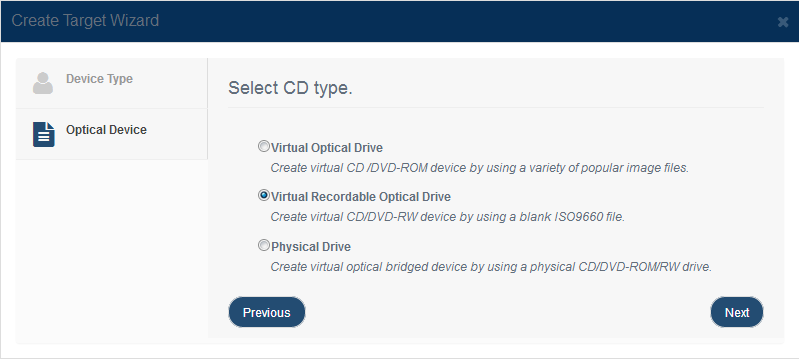
Choose Virtual Recordable Optical Drive in the Select CD Type group. Press the Next button to continue. Step 2. Specify the ISO path and device parameters.
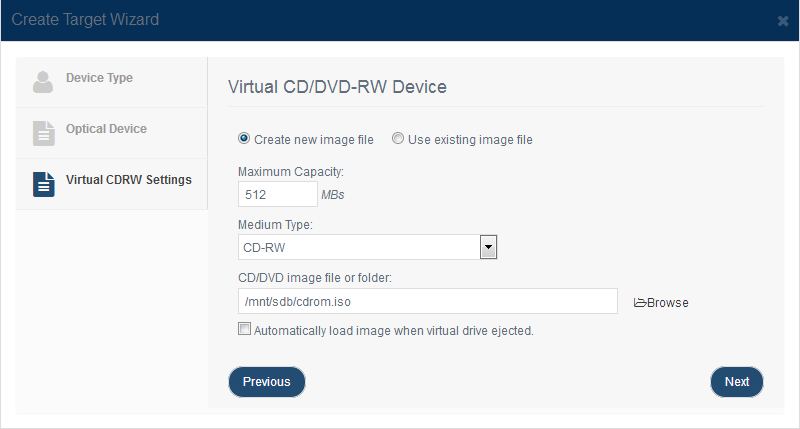
Select whether to create a new ISO file or use an existing one. Choose your Medium Type and specify its Maximum capacity. Automatically load image when virtual drive ejected mounts a new empty virtual disk after the current burning task finishes. This is useful when you want to create multiple ISO files in sequence. Select where you want to save the image files. To conserve disk space, ISO files are created as dynamically expanding files, so their size depends on the amount of recorded content. Press the Next button to continue. Step 3. Finish creating the iSCSI target.
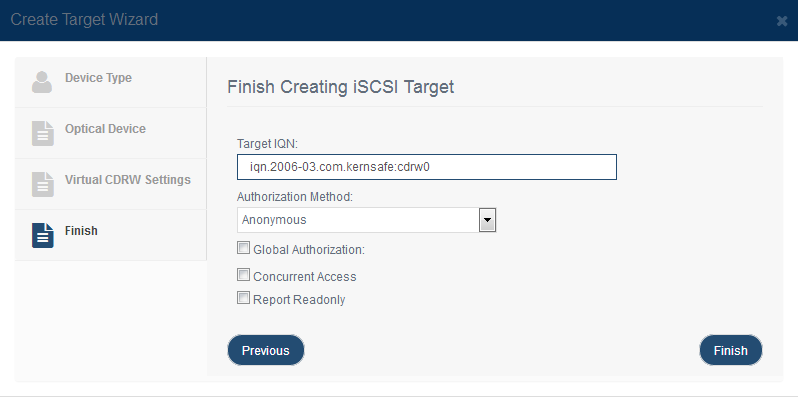
Enter the target name. Select an authorization mode. If you need more information, see Authorization Mechanism. Click Finish to complete target creation. |
|

SUPPORT
- Forum
- Support Ticket
- [email protected]

- Voice Mail:
- +1 (518) 289-4888