
SuperSAN Online Help

| IPv4 Portal Manager | KernSafe Storage Center |
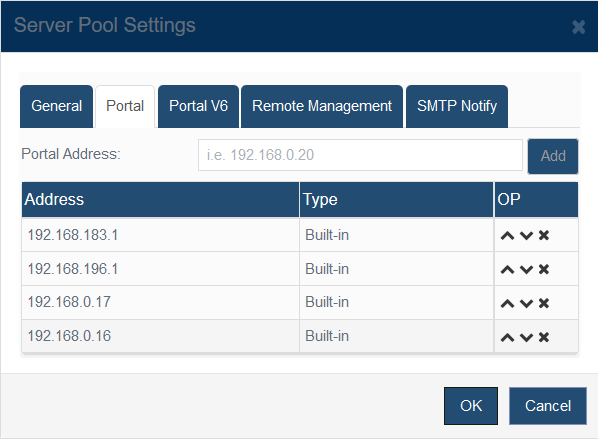
| Open Storage Management > Server Pools, select a pool, click Settings, and then switch to the Portal tab.
Use Portal Address to add an IPv4 listening address for the selected pool. Existing addresses are labeled by type, for example Built-in for addresses detected from local network interfaces and Manual for addresses entered by an administrator. The controls on the right side of each row move the address up or down in the list or remove it. The order matters: initiators try the first portal in the list before lower-priority entries. Click OK to save the updated portal order and address list. |
|

SUPPORT
- Forum
- Support Ticket
- [email protected]

- Voice Mail:
- +1 (518) 289-4888