
SuperSAN X Online Help

| Asynchronous Replication | KernSafe Storage Center |
|
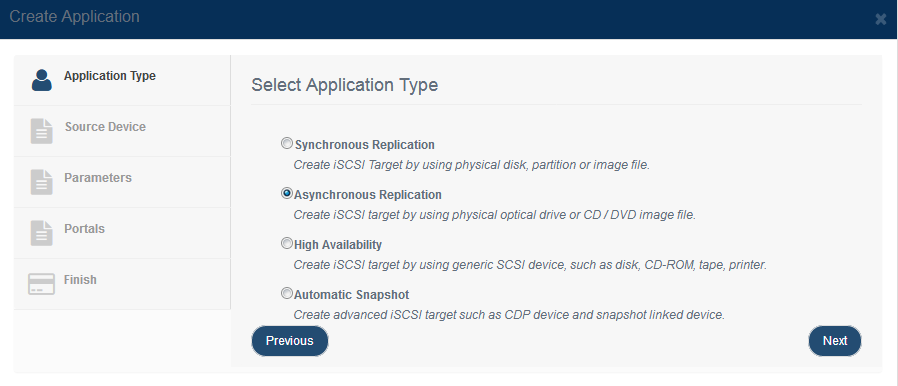
Asynchronous replication protects a source target by copying its data to another destination without forcing every write to wait for the remote commit. You can replicate to a local image file or to a remote iSCSI target. The main advantage is that replication has less impact on source-side I/O latency than synchronous mirroring. 1. Create Asynchronous Replication Application: Step 1. Open Replications and click Add to open the Create Replication wizard.
Choose Asynchronous Replication as the application type. Press the Next button to continue. Step 2. Select the replication destination.
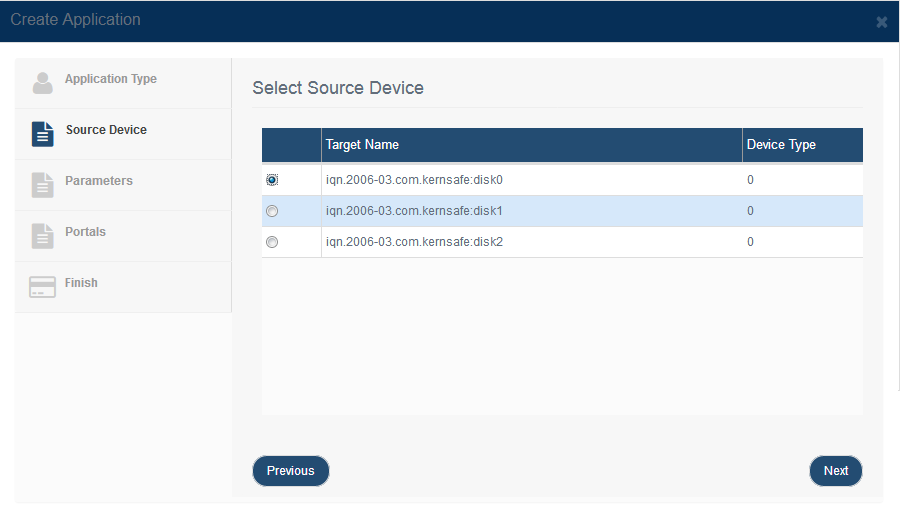
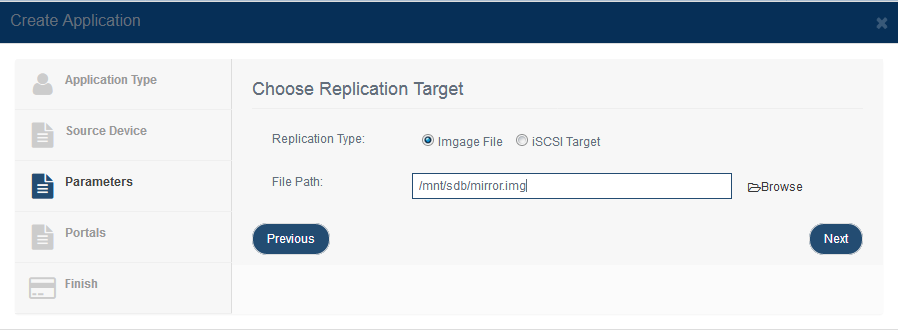
First, choose the source target. Image File - Browse an image file path to mirror to.
If you want to replicate to an image file, select Image File, specify the destination path, and click Next.
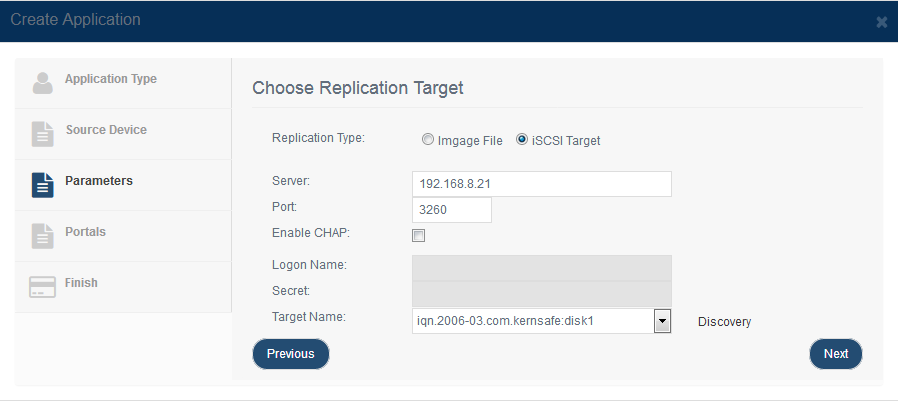
If you want to replicate to a remote iSCSI target, select Remote iSCSI and click Edit to specify the remote target.
After you enter the remote host name and port, click Discovery to list the available remote targets. Select the destination target and click OK. If the destination target requires CHAP authentication, provide the CHAP user name and secret before continuing. Then press the Next button to continue. Step 3. Configure synchronization.
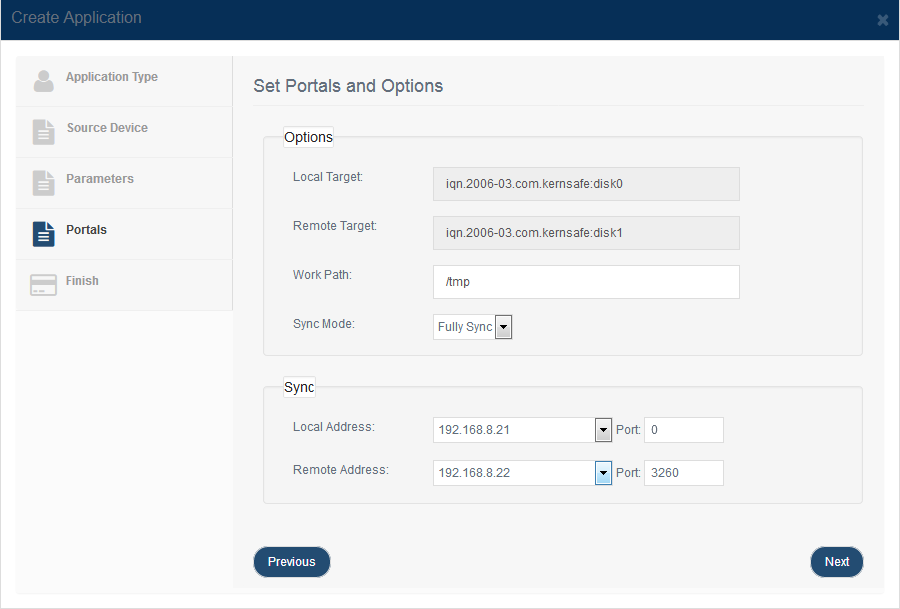
Specify the Work Path. This path is used to store pending data when the remote replication destination is temporarily unavailable. Select Full Sync when the destination needs to be fully synchronized from the source. Select No Sync only when the destination is already consistent or you plan to synchronize later. Specify the local and remote portal pairs, including IP address and port. Note: All data on the mirror device will be destroyed after synchronization. Step 4. Complete application creation.
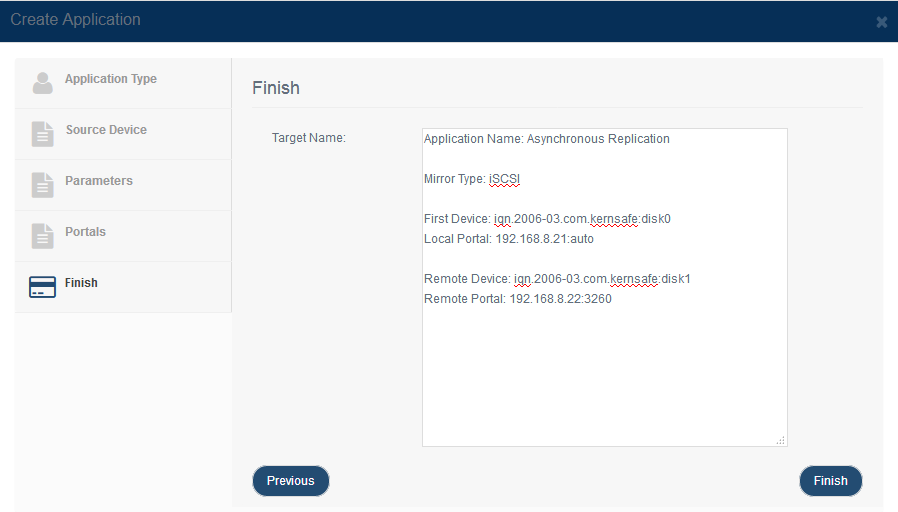
If you need to change any settings, click Back. Otherwise, click Finish to create the replication application. |
|

SUPPORT
- Forum
- Support Ticket
- [email protected]

- Voice Mail:
- +1 (518) 289-4888