
SuperSAN X Online Help

| Standard Image File Device | KernSafe Storage Center |
|
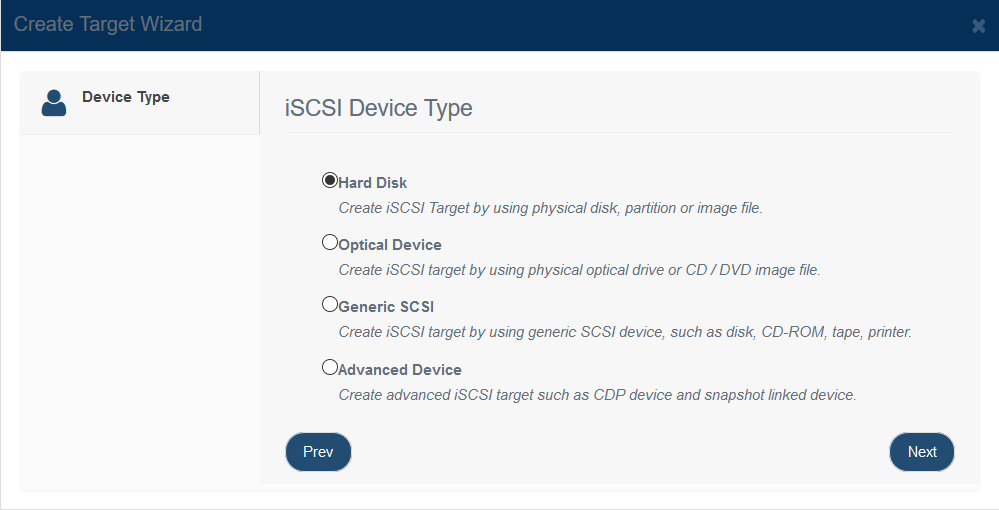
A standard image file device uses a RAW disk image stored on the host system. KernSafe Storage Center exports that image file as an iSCSI disk, and all reads and writes issued by the initiator are translated into operations on the underlying image file. This approach is widely used because it is flexible and well suited for migration, backup, and restore workflows. Create Image File Device Follow the steps below to create a file image device: Step 1. Click Add on the toolbar to open the Create iSCSI Target wizard.
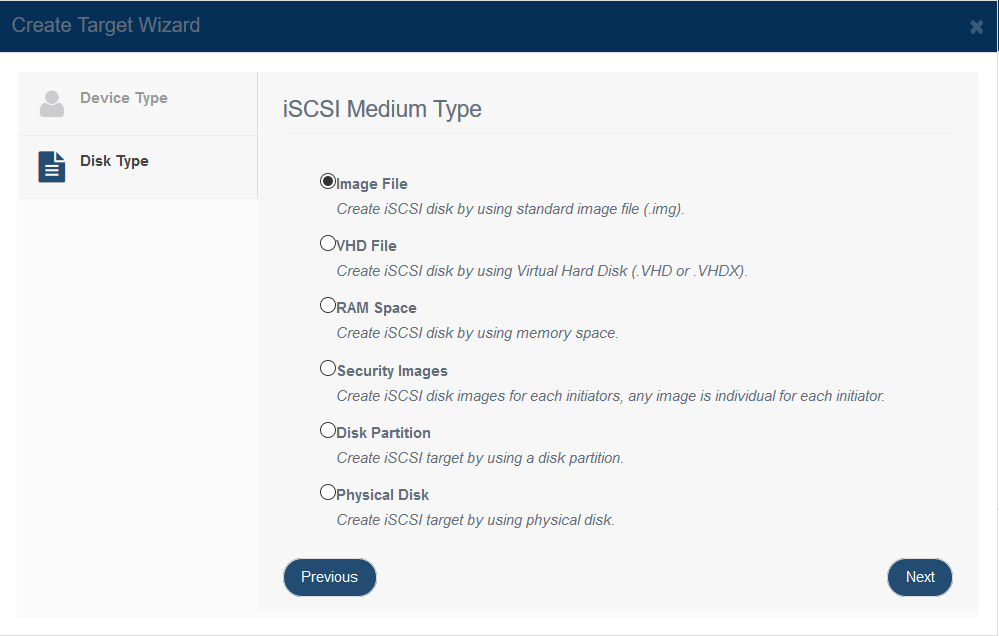
Choose 'Hard Disk ' in the iSCSI Device Type group. Step 2. Select the image type for the iSCSI disk you want to create.
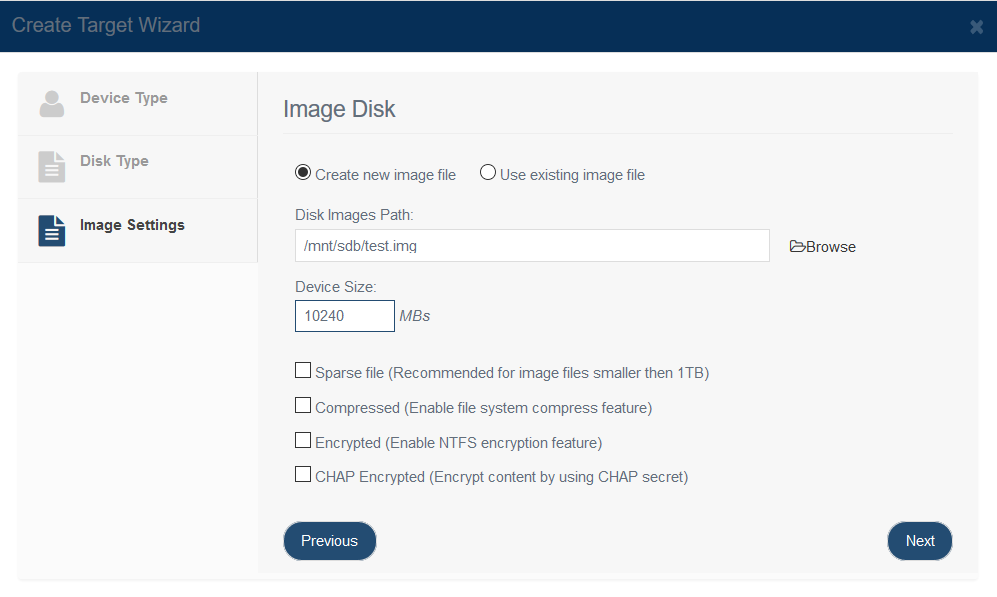
Choose 'Image File' from iSCSI Medium Type group. Step 3. Set image disk parameters.
In the Image Disk Configuration window, you can either open an existing image file or create a new one. To create a new image file, select the destination path and specify its capacity. There are several options to choose from:
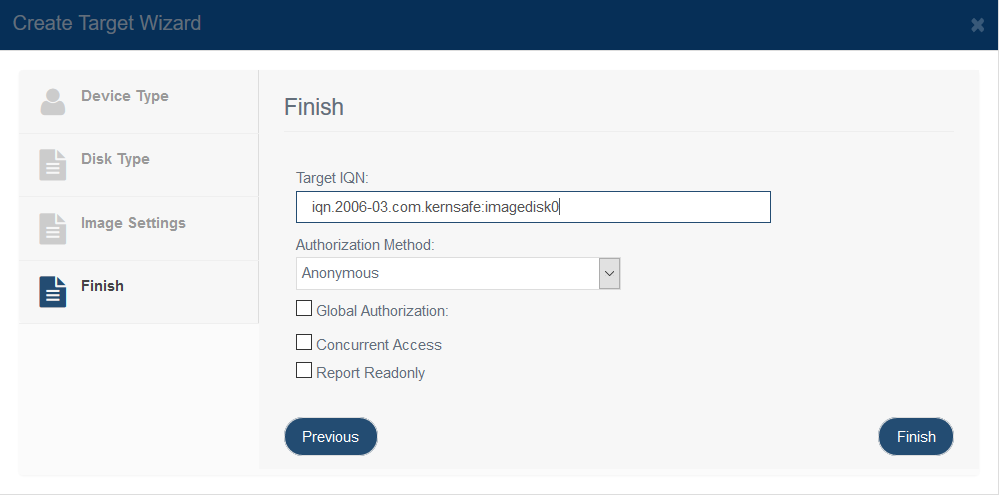
Press the Next button to continue. Step 4. Finish Creating iSCSI Target.
Enter the target name. Select an authorization mode. If you need more information, see Authorization Mechanism. Global Authorization: The target inherits CHAP and IP filter settings from the global configuration. If this option is cleared, the target uses its own authorization settings. Concurrent Access: Allows multiple initiators to access the target concurrently when the workload is designed for shared access. Report Readonly: Reports the target as read-only when the initiator does not have write permission. Click Finish to complete target creation. |
|

SUPPORT
- Forum
- Support Ticket
- [email protected]

- Voice Mail:
- +1 (518) 289-4888