
iStorage Server Online Help

| About RAM disk device | KernSafe iSCSI SAN User Manual |
|
A RAM disk is an iSCSI device created from the server's physical memory. Because the device is stored in RAM, it provides very high performance to connected initiators. RAM disks are useful for performance-sensitive workloads such as diskless boot or temporary high-speed data sharing. Warning: Unless you enable persistence to a file, all data is lost when the server restarts or shuts down. Creating a RAM Disk Device Follow the steps below to create a RAM disk device. Step 1. Select Service-> Create Target from the menu bar of KernSafe iSCSI SAN Management Console.
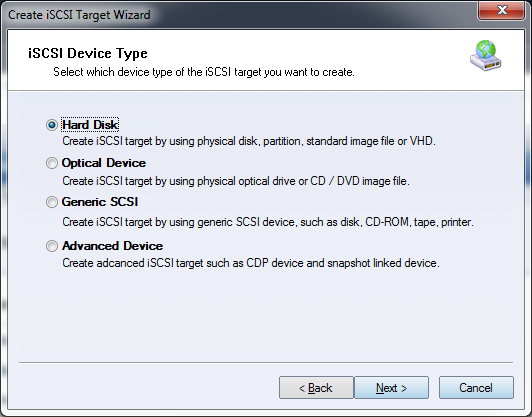
Select Hard Disk, then click Next to continue.
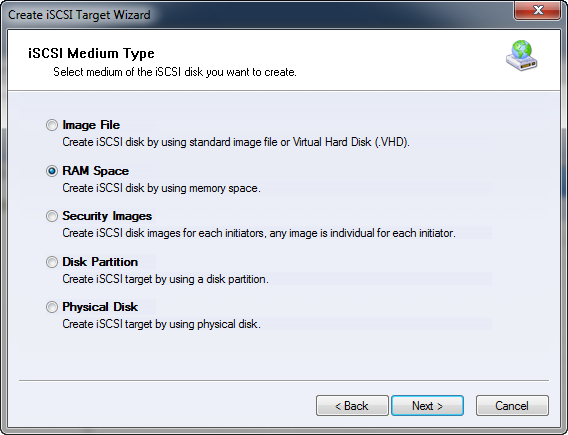
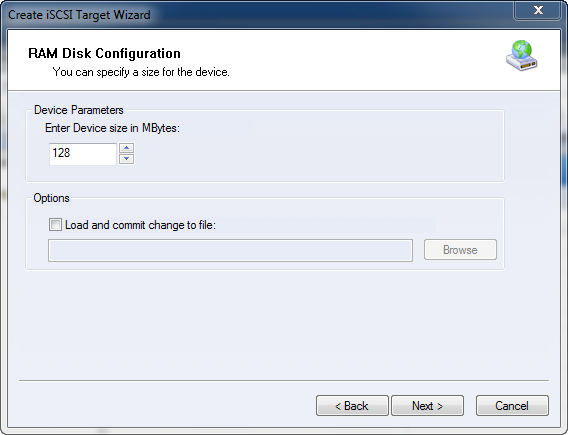
Select RAM Space in the iSCSI Medium Type group. Click Next to continue. Step 2. Specify the size of the RAM disk. The size cannot exceed the current amount of free memory.
Load and commit changes to file lets you store the RAM disk data in a standard image file. When this option is enabled, the data is loaded when the server boots or when KernSafe iSCSI SAN starts, and you can manually commit changes to the image file whenever you want to save data. Any changes that are not committed are lost when the server restarts or shuts down. Click Next to continue. Step 3. Set the authorization mode.
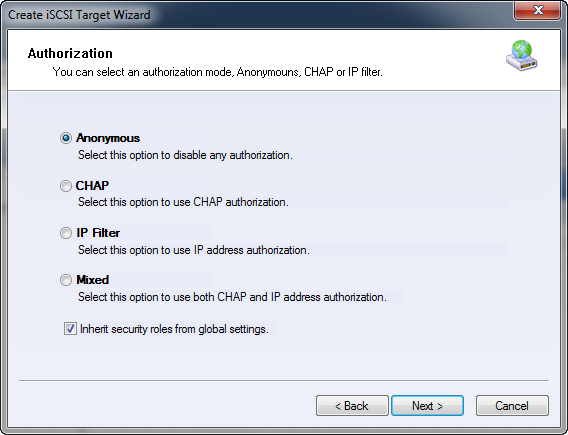
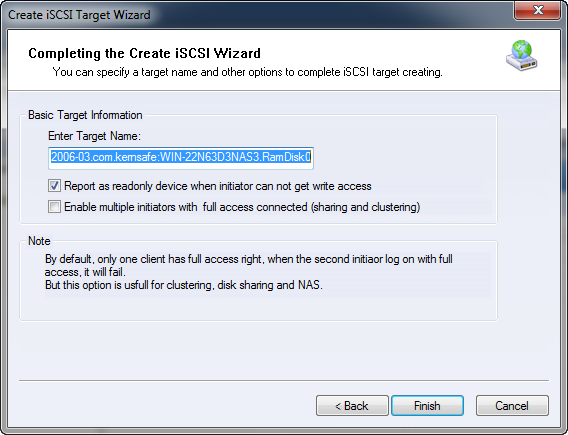
Select an authorization mode. If you need more information, see Authorization Mechanism. Click Next to continue. Step 4. Enter the target name.
Click Finish to complete iSCSI target creation. | |

SUPPORT
- Forum
- Support Ticket
- [email protected]

- Voice Mail:
- +1 (518) 289-4888