
iStorage Server Online Help

| About Physical Disk (VTL Backend) | KernSafe iSCSI SAN User Manual |
|
The physical disk backend option creates an iSCSI tape target that stores virtual tape data on a selected physical disk. This is useful when you want tape-oriented backup workflows but prefer disk capacity and disk management for the backend storage. Creating A Physical Disk (VTL Backend) Device Follow the steps below to create a VTL backend disk device: Step 1. Select Service-> Create Target from the Storage pop-up menu on the main interface of KernSafe iSCSI SAN Management Console.
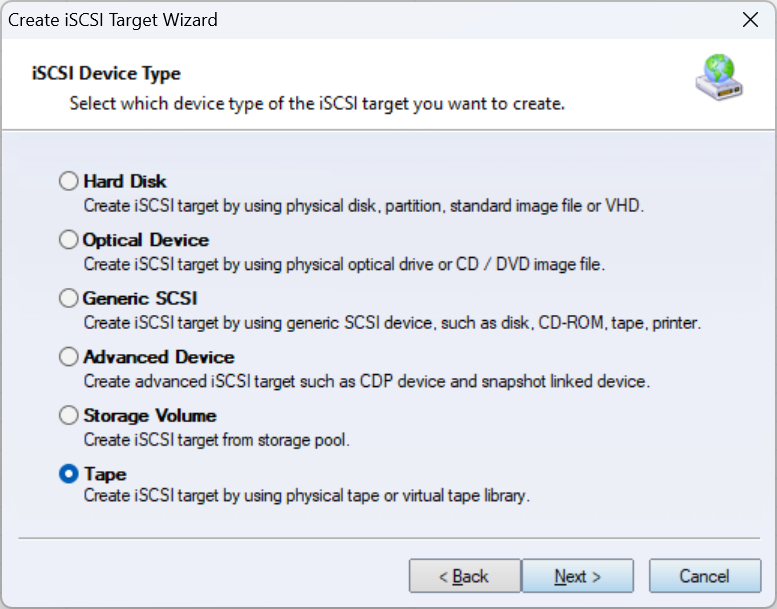
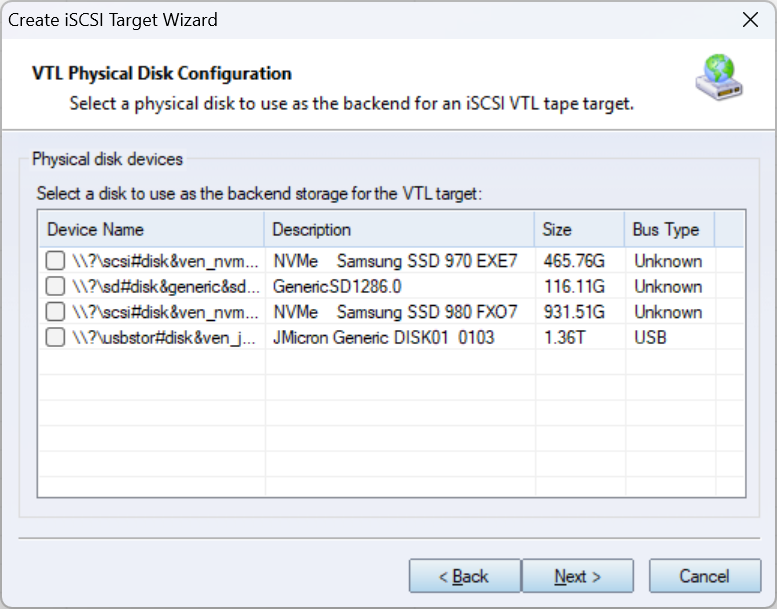
Choose Tape in the iSCSI Device Type group and press the Next button. On the next page, in the iSCSI Medium Type group, choose Physical Disk (VTL Backend), then press the Next button to continue. Step 2. Select a physical disk to use as the backend storage for the tape target.
Select the physical disk that will store the virtual tape data. Press the Next button to continue. Step 3. Set the Authorization Mode.
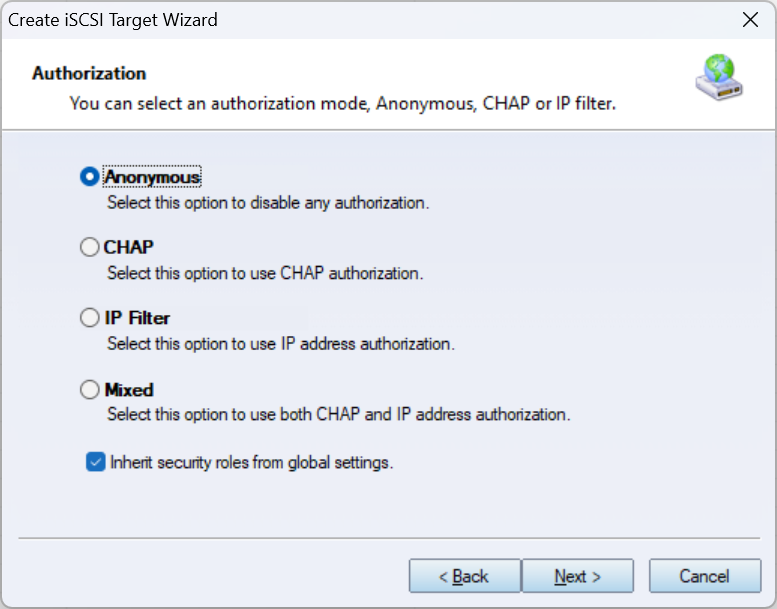
Select an authorization mode. If you do not know how to do it, see Authorization Mechanism. Press the Next button to continue. Step 4. Enter the Target Name.
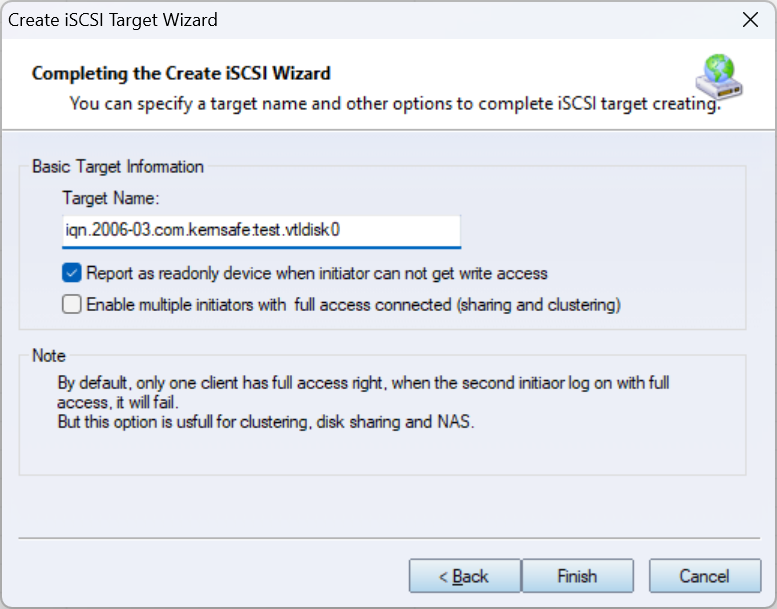
Optionally choose whether the target should be reported as a readonly device when an initiator cannot get write access. If you need tape sharing or clustering scenarios, select Enable multiple initiators with full access connected. Press the Finish button to complete iSCSI target creation. | |

SUPPORT
- Forum
- Support Ticket
- [email protected]

- Voice Mail:
- +1 (518) 289-4888