
SuperSAN X Online Help

| Automatic Snapshots Replication |
KernSafe Storage Center |
|
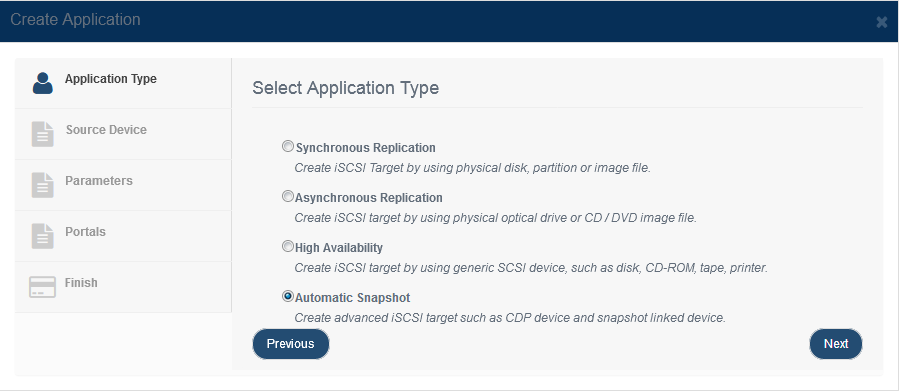
An automatic snapshots application creates recovery points based on the configured schedule or policy. This is useful when you want the system to generate snapshots automatically so that a target can be reverted to an earlier point in time. Create an automatic snapshots application. Step 1. Open Replications and click Add to open the replication wizard.
Choose Automatic Snapshots in the Application Type. Press the Next button to continue. Step 2. Choose the source iSCSI device.
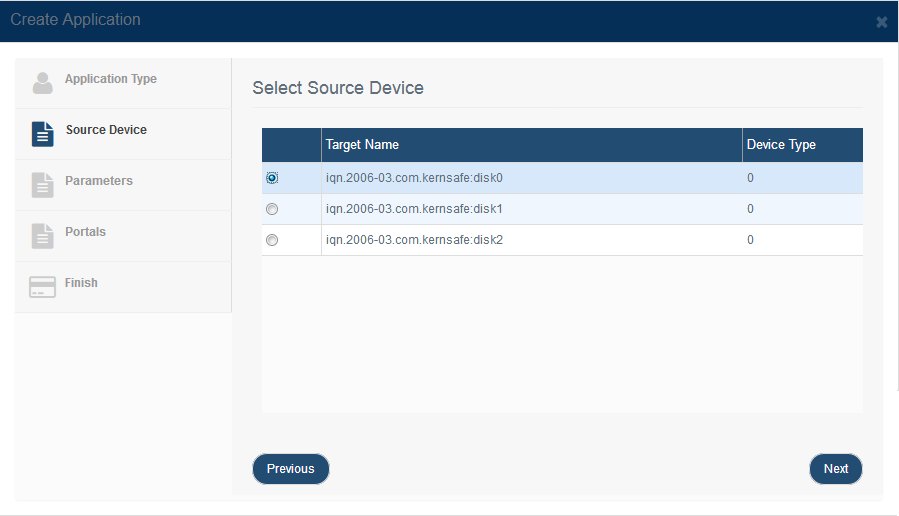
Select the target for which you want automatic snapshots created, then press Next. Step 3. Connect to the remote iSCSI server, select the remote snapshot-capable target, and configure the schedule.
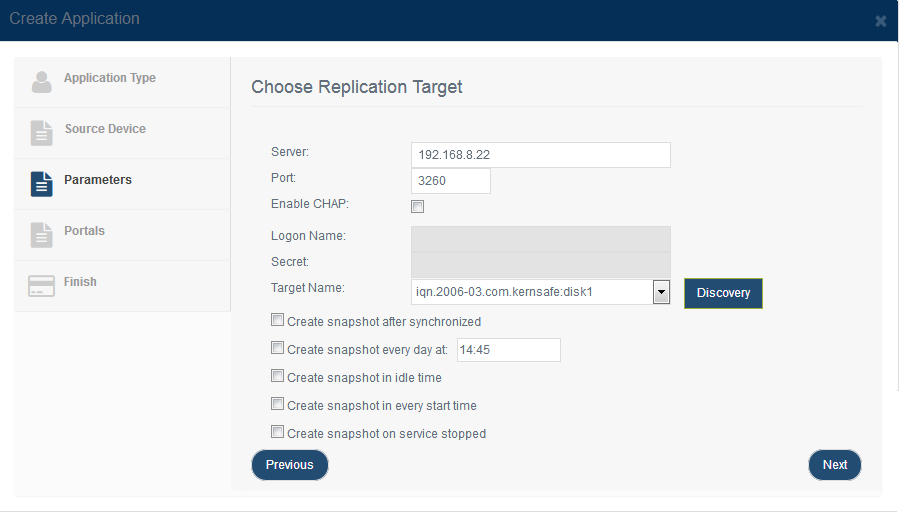
Enter the remote iSCSI Server address and Port, then click Discovery to fetch the available remote targets. Select a target that supports snapshots, such as an image file target (e.g., imgdisk-0), from the Target Name dropdown. Then select one or more trigger conditions for automatic snapshot creation: Create snapshot after synchronized: Creates a snapshot each time a replication cycle completes. Press the Next button to continue. Step 4. Complete application creation.
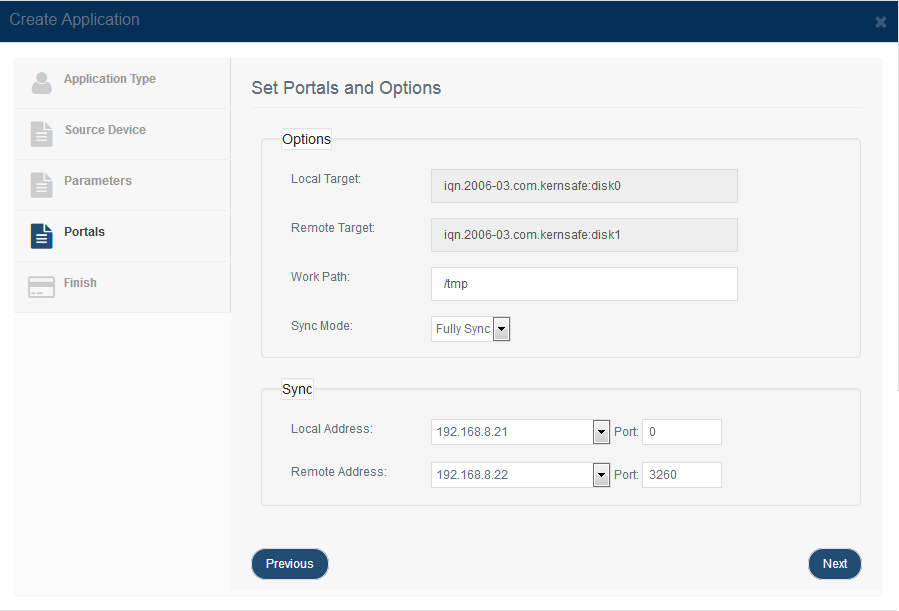
Review the summary and click Finish to create the automatic snapshot application. |
|

SUPPORT
- Forum
- Support Ticket
- [email protected]

- Voice Mail:
- +1 (518) 289-4888