
SuperSAN X Online Help

| CDP Device |
KernSafe Storage Center |
|
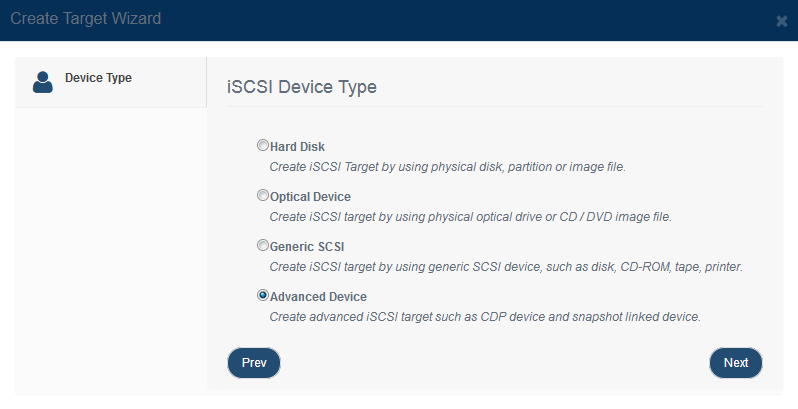
A CDP device provides continuous data protection. It allows you to restore data to a specific point in time without relying solely on periodic backup jobs. This helps reduce the risk of data loss, corruption, or accidental deletion. Creating CDP Device Follow the steps below to create a CDP device: Step 1. Click Add on the toolbar to open the Create iSCSI Target wizard.
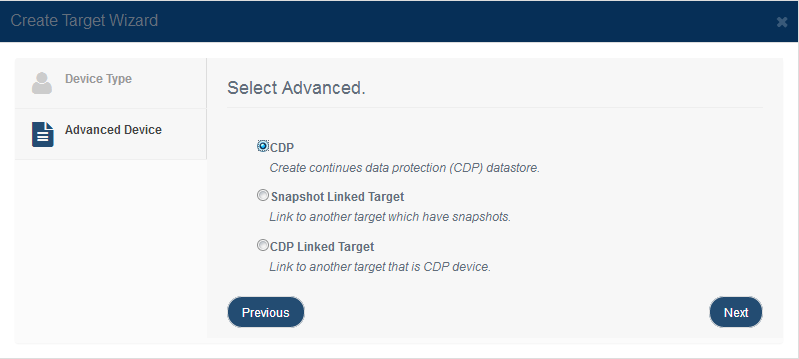
Choose Advanced Device in the device type group. Press the Next button to continue. Step 2. Select CDP Device in the iSCSI advanced device window.
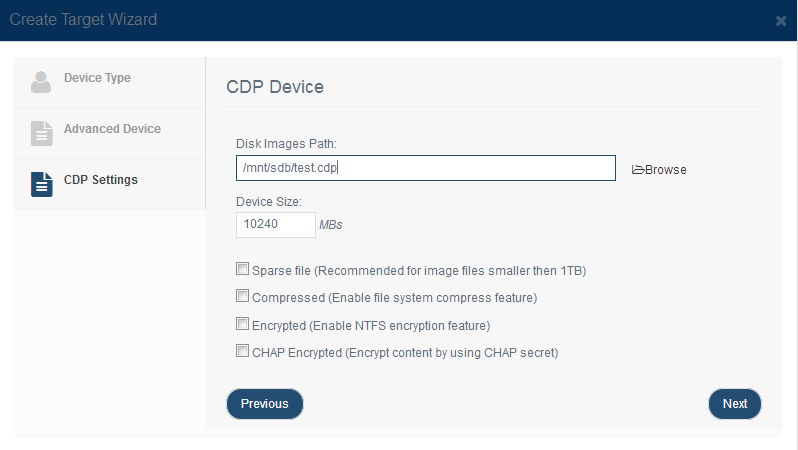
Press the Next button to continue. Step 3. Configure the CDP parameters.
Select the folder that will store the CDP data set and specify its size. Additional parameters are:
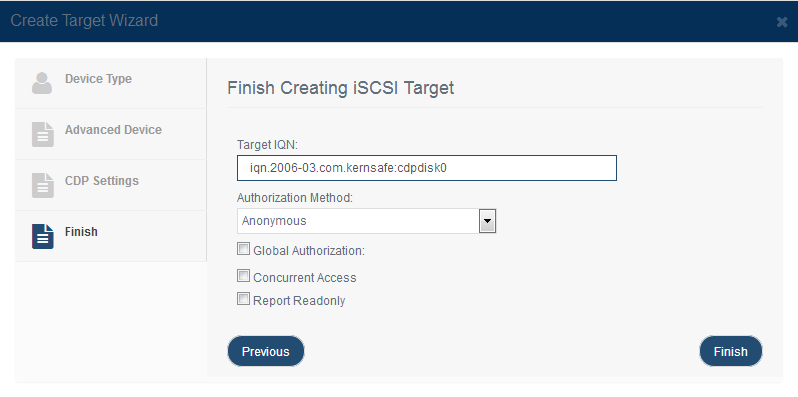
Press the Next button to continue. Step 4. Enter the target name.
Click Finish to complete creation of the CDP device. |
|

SUPPORT
- Forum
- Support Ticket
- [email protected]

- Voice Mail:
- +1 (518) 289-4888