
SuperSAN X Online Help

| Snapshot Management | KernSafe Storage Center |
|
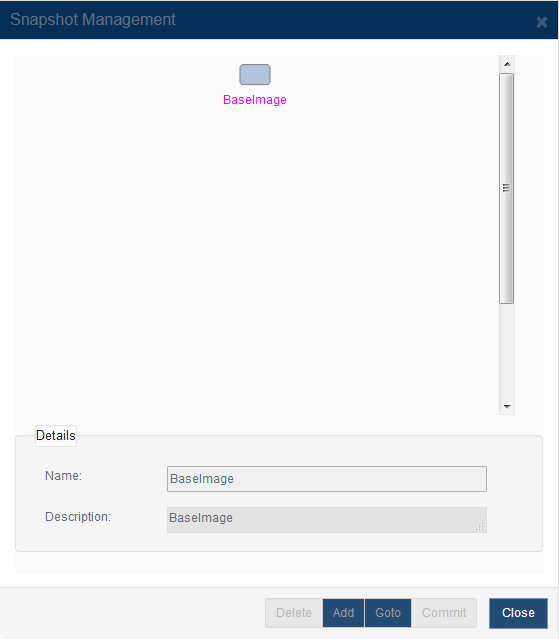
Snapshot management is available for image-based targets such as VHD, VHDX, and standard image files. A snapshot captures the state of a target at a specific point in time so that you can preserve recovery points and revert later if necessary. Open Storage Management > Targets, select a supported target, and click Snapshots to open the Snapshot Management dialog.
The dialog displays the snapshot tree together with the details of the selected node. Select the parent snapshot or base image and click Add to create a new snapshot beneath that node.
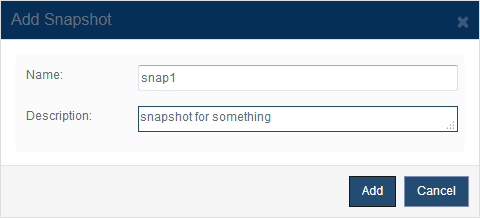
Enter the snapshot Name and Description, and then click OK to create the snapshot. Snapshots inherit their data state from the selected parent node, so you can build a snapshot hierarchy over time.
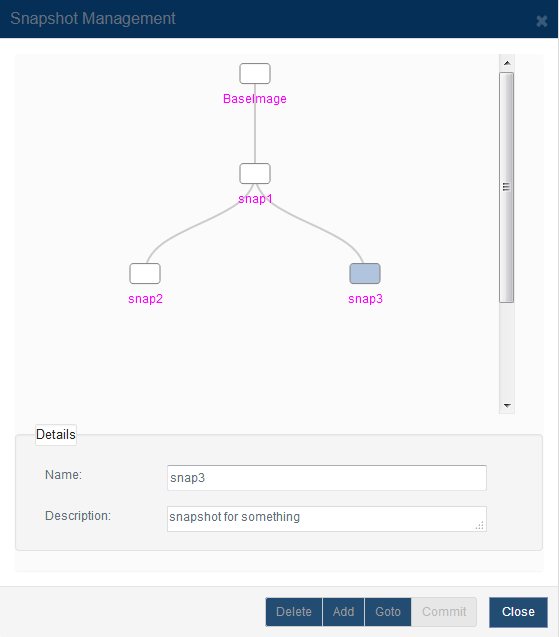
After the snapshot is created, it appears in the snapshot tree beneath the selected parent node. You can review the relationship between the base image and each child snapshot directly in the dialog. Within the Snapshot Management dialog, you can also delete snapshots, navigate to another snapshot state, or commit changes when the selected snapshot topology supports it. |
|

SUPPORT
- Forum
- Support Ticket
- [email protected]

- Voice Mail:
- +1 (518) 289-4888