SuperSAN X Online Help
Server Management KernSafe Storage Center

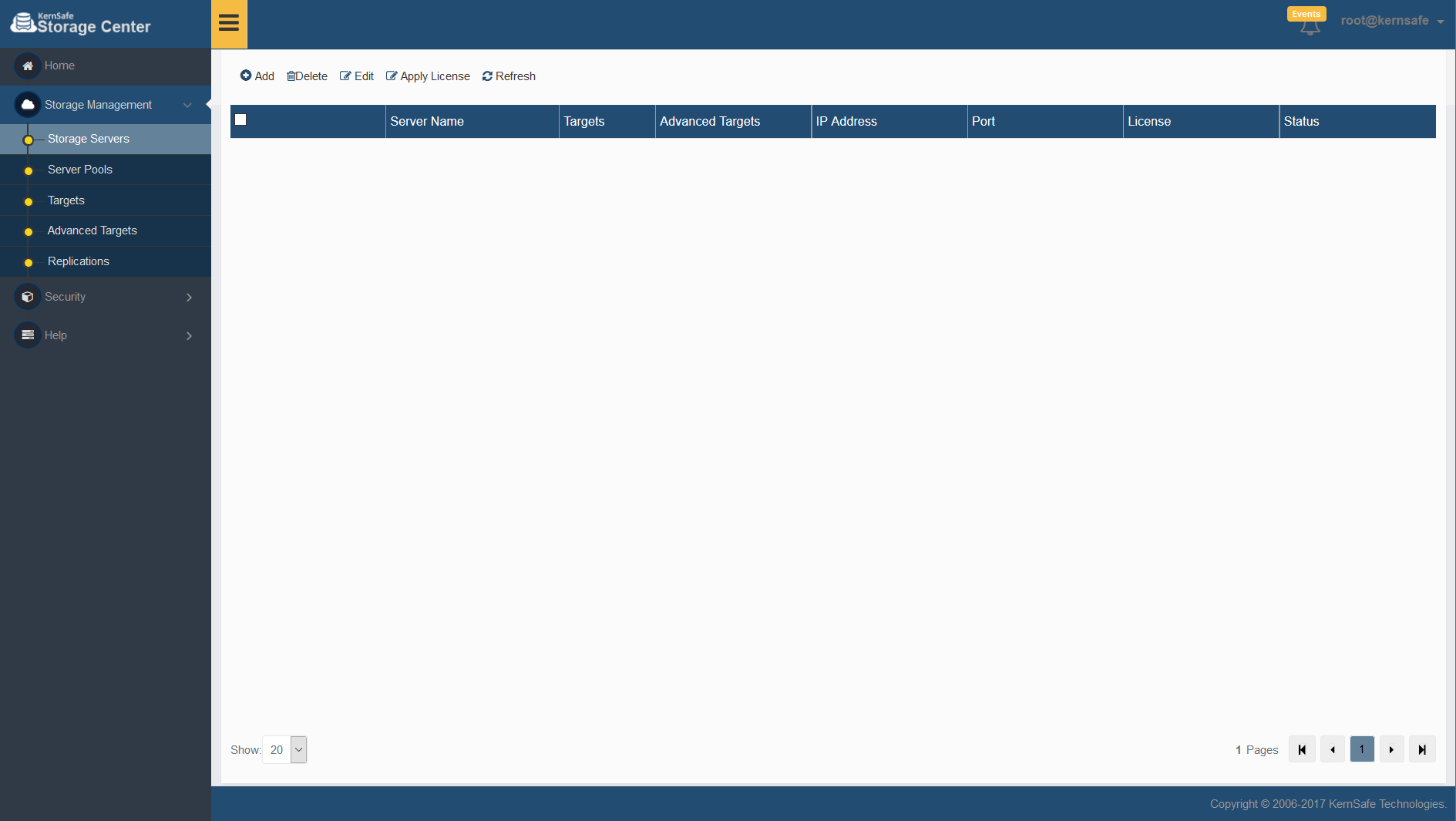
KernSafe Storage Center is a web-based management console for monitoring and administering iSCSI storage servers from a single interface. Open Storage Management > Storage Servers to review registered servers, target counts, license information, and connection status.

KernSafe iSCSI SAN - iSCSI server management overview step 1

Add Server
Click Add on the toolbar to register another storage server.

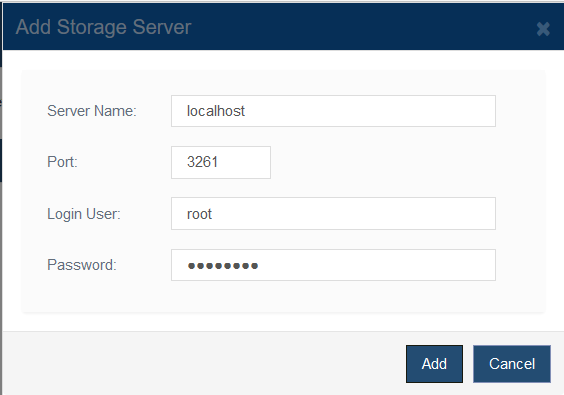
KernSafe iSCSI SAN - iSCSI server management panel step 2

Provide the following connection settings:

1. Server Name: Enter the host name, IP address, or a friendly label for the storage server.
2. Port: Specify the management service port.
3. Login User and Password: Enter the management credentials for the remote server.

The default credentials in this environment are root / kernsafe.

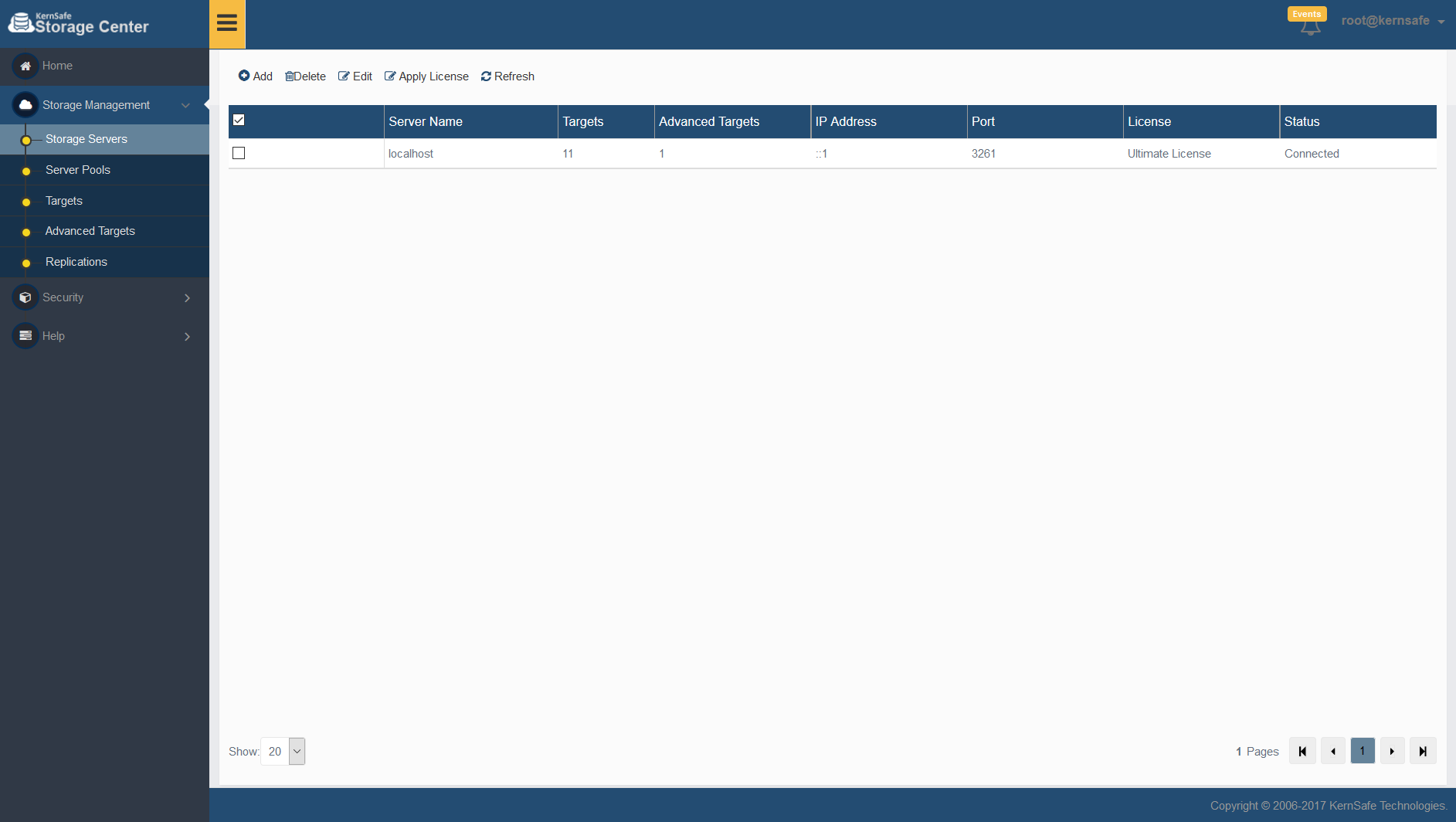
After you click Add, the server appears in the list together with its target counts, license state, and connection status.

KernSafe iSCSI SAN - iSCSI server management panel step 3

Delete Server
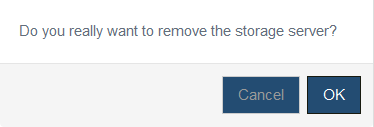
Select one or more servers and click Delete to remove them from the management console. The system asks for confirmation before the entry is removed.

KernSafe iSCSI SAN - iSCSI server management panel step 4

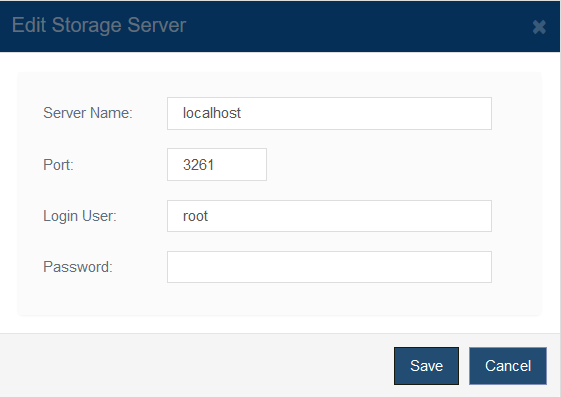
Edit Server
Select a single server and click Edit to update the server name, port, or login credentials.

KernSafe iSCSI SAN - iSCSI server management completed

Apply License
Select a server and click Apply License to assign or update its license. See the License Management topic for details.

Refresh
Click Refresh to reload the server inventory and connection state.


SUPPORT

Newsletter

  • NAME
  • EMAIL