
SuperSAN X Online Help

| License Management | KernSafe Storage Center |
|
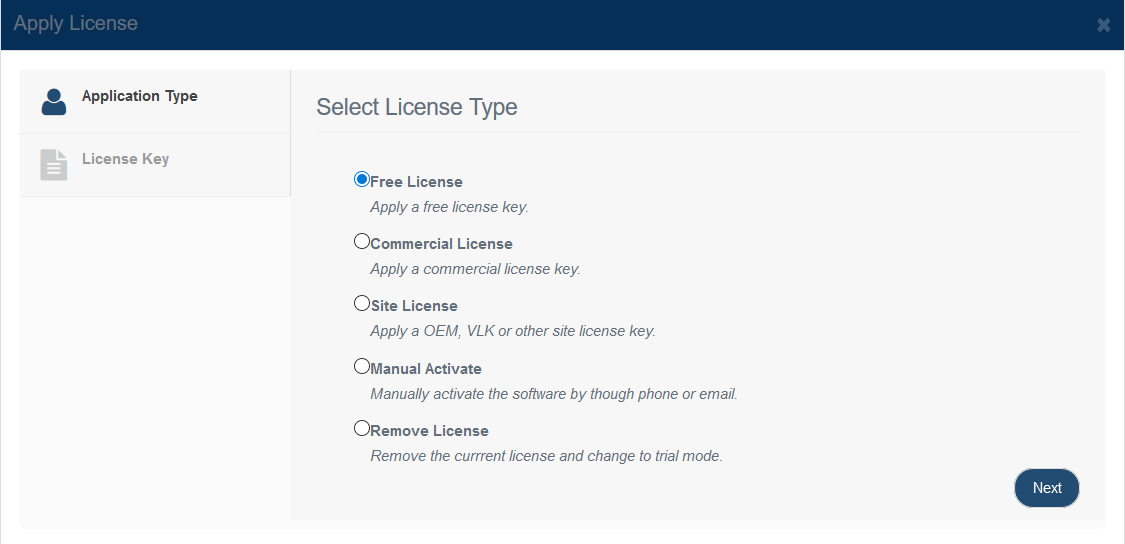
Open Storage Management > Storage Servers, select a server, and click Apply License to open the license wizard.
On the first step, choose the appropriate application or license type for the server. Typical options include a free or evaluation license, a commercial license, a site or OEM license, offline activation, or license removal depending on the product build and entitlement. Click Next to continue to the key-entry page.
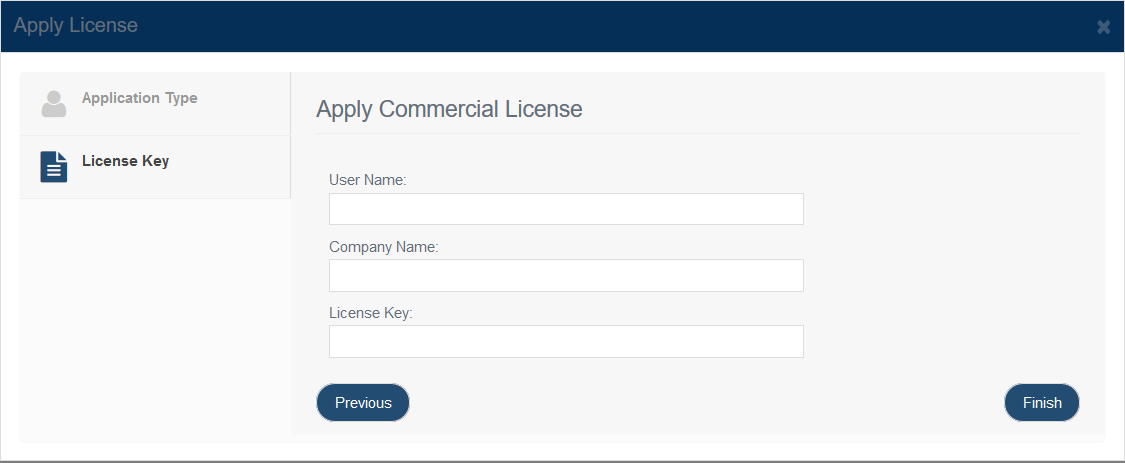
For license types that require activation, provide the following information: User Name License data is usually bound to the user name and company name provided in the license email, so copy and paste those values exactly where possible. Click Finish to apply the license to the selected storage server.
|
|

SUPPORT
- Forum
- Support Ticket
- [email protected]

- Voice Mail:
- +1 (518) 289-4888