
SuperSAN X Online Help

| IPv6 Portal Manager | KernSafe Storage Center |
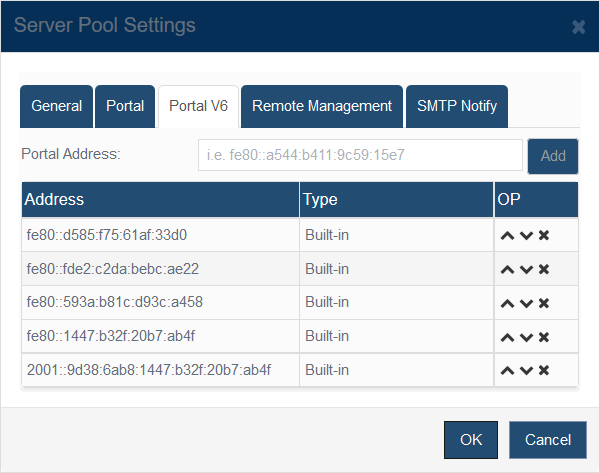
| Open Storage Management > Server Pools, select a pool, click Settings, and then switch to the Portal V6 tab.
The Portal V6 tab is the IPv6 equivalent of the IPv4 portal page. Use it to add, remove, and prioritize IPv6 listening addresses for the selected server pool. Addresses discovered on local interfaces appear as Built-in entries. Addresses that you add manually are listed separately and can be reordered with the up and down controls. Keep the preferred IPv6 portal at the top of the list so initiators attempt that address first. |
|

SUPPORT
- Forum
- Support Ticket
- [email protected]

- Voice Mail:
- +1 (518) 289-4888