|
Use this window to add additional servers to the KernSafe iSCSI SAN Management Console. This allows you to manage multiple servers from a single console.
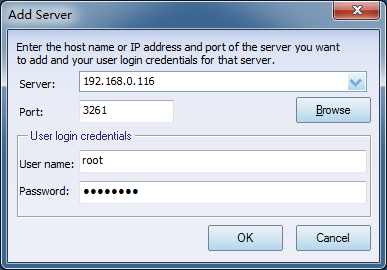
Configure the dialog as follows:
1. Server IP and Port
Enter the IP address and port of the KernSafe iSCSI SAN server you want to connect to.
The Browse button searches automatically for available servers.
2. User login credentials
Provide the user name and password required to connect to the other server.
Default credentials are:
User name: root
Password: kernsafe
You can change them at any time.
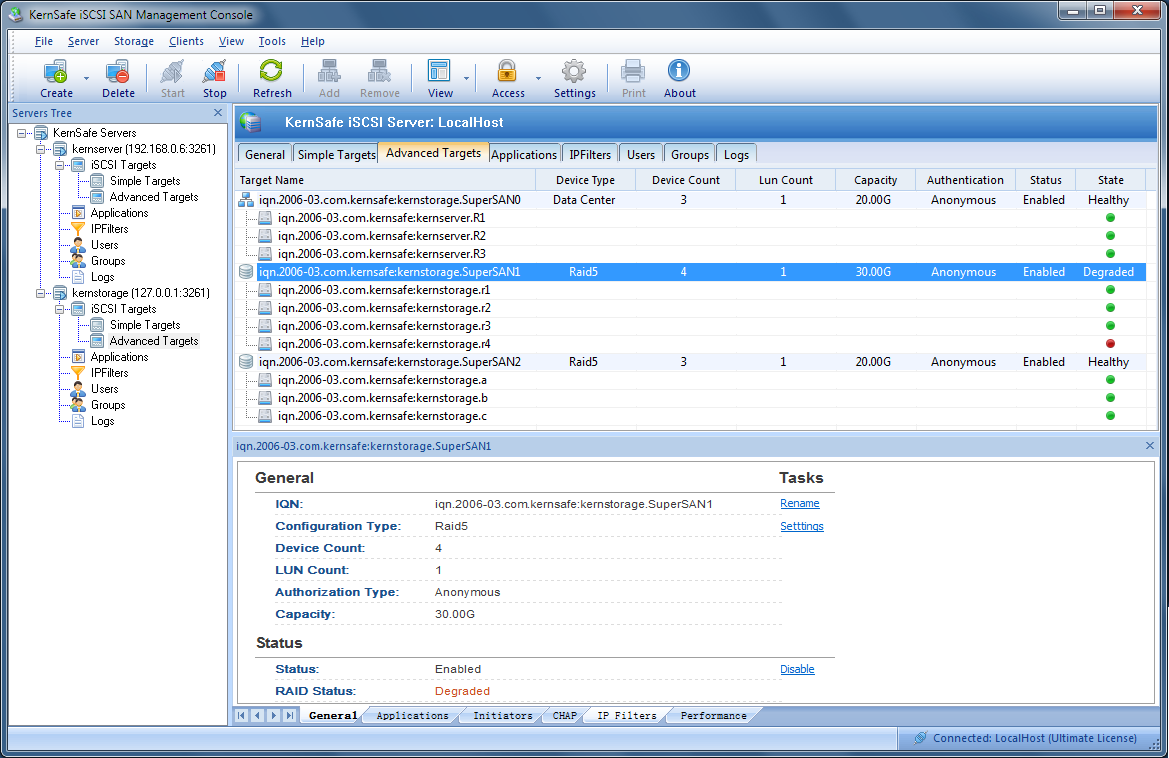
After you click OK to save the settings and connect to the remote server, the KernSafe iSCSI SAN Management Console should look
similar to the example below:
|



