
iStorage Server Online Help

| Creating
Automatic Snapshots Application |
KernSafe iSCSI SAN User Manual |
|
Automatic Snapshots applications are used when you want snapshots to be created automatically on a schedule, in response to events, or according to policy settings. This helps you maintain recovery points with minimal manual intervention. Step 1. Right-click the Applications node in the left tree of the main window, then choose Create Application.
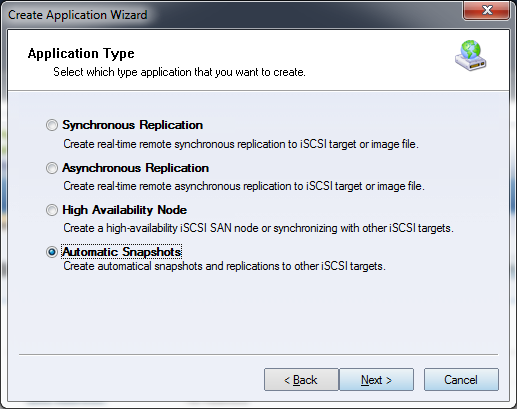
Select Automatic Snapshots as the application type. Click Next to continue. Step 2. Configure the automatic snapshot application.
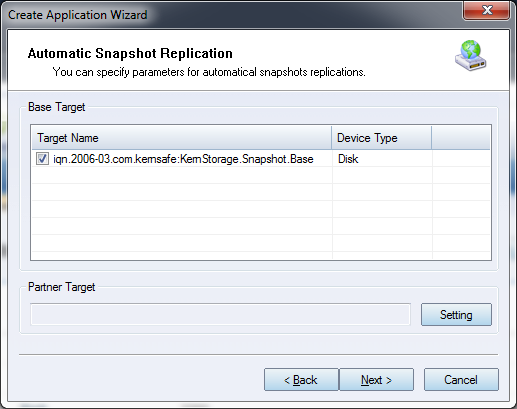
Select the base target, then click Edit to locate the partner target.
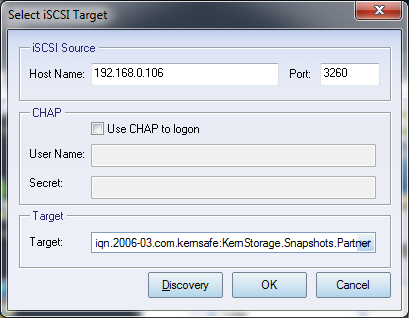
Enter the host name and port of the remote iSCSI server, then click Discovery to retrieve the available targets. Select the required target and click OK. If the remote target requires CHAP authentication, provide the user name and secret. Click Next to continue. Step 3. Configure snapshot settings.
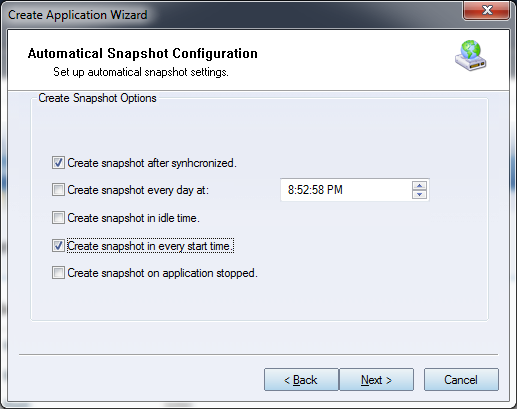
Specify the options used to create automatic snapshots. After the required settings are configured, click Next. Step 4. Configure synchronization settings.
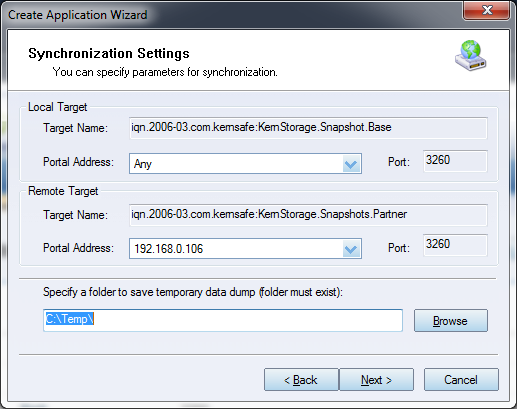
Specify synchronization-related settings such as the Port Address and the data dump folder. Step 5. Choose the mirror synchronization mode.
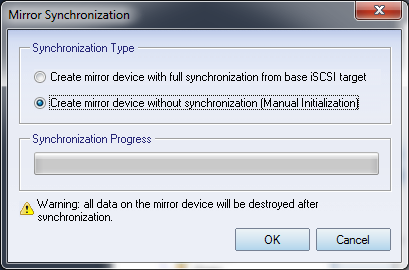
If both targets are new and uninitialized, you can choose Create mirror device without synchronization (Manual Initialization). Otherwise, choose Create mirror device with full synchronization from base iSCSI target. Note: All data on the mirror device is destroyed during full synchronization. Step 6. Complete application creation.
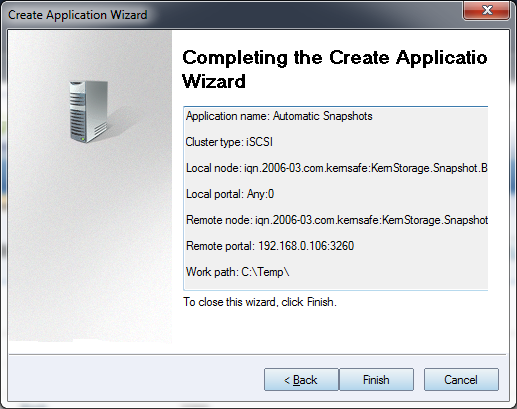
Click Finish to create the application. Step 7. Check application status.
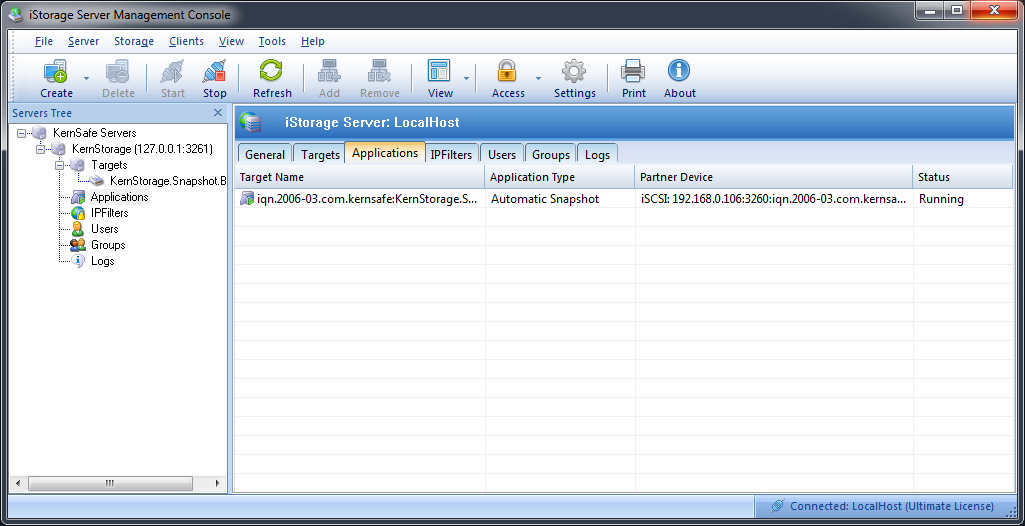
Running: Both the current server and the partner server are operating normally. |
|

SUPPORT
- Forum
- Support Ticket
- [email protected]

- Voice Mail:
- +1 (518) 289-4888