
iStorage Server Online Help

| Create a User | KernSafe iSCSI SAN User Manual |
|
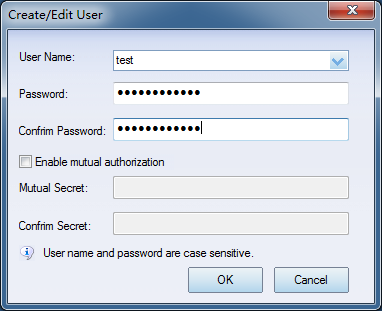
There are two ways to create a new user. 1. Right-click the Users node in the left tree of the main window, then select Create User from the shortcut menu. 2. Select the Users node in the left tree of the main window, then click Clients -> Add... from the main menu.
If you want to use this account for mutual authorization, select Enable mutual authorization and enter the Mutual Secret. The value is case-sensitive. Targets are authorized through groups. For security reasons, each user should be assigned to one or more groups. Edit and delete a user Select the user that you want to modify or delete. Right-click the user, then choose Properties to edit the user information or Delete User to remove the account. |
|

SUPPORT
- Forum
- Support Ticket
- [email protected]

- Voice Mail:
- +1 (518) 289-4888