
iStorage Server Online Help

| About Create CD/DVD-ROM/RW Device | KernSafe iSCSI SAN User Manual |
|
A physical CD/DVD device exports a real optical drive from the server to client machines. Connected initiators can use the drive in the same way as a locally attached CD/DVD drive, including reading inserted discs and, when supported by the hardware, writing to recordable media. Creating a CD/DVD-ROM/RW Device Follow the steps below to create a physical optical device. Step 1. Select Service-> Create Target from the Storage pop-up menu in the main interface of KernSafe iSCSI SAN.
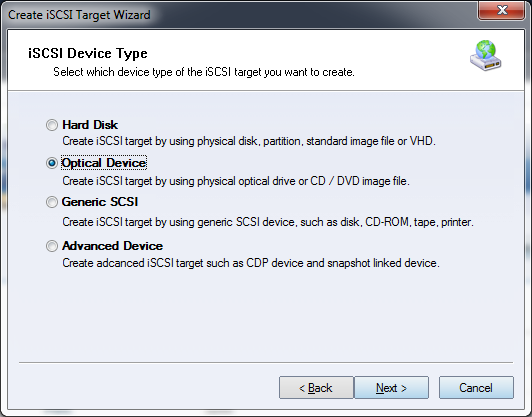
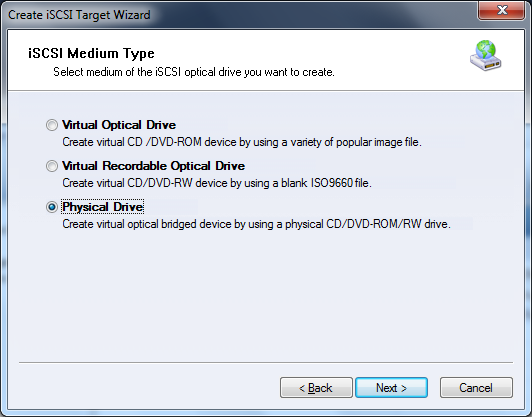
Choose Optical Device in the iSCSI Device Type group. Click Next to continue. Step 2. Select Physical Drive from the available media types.
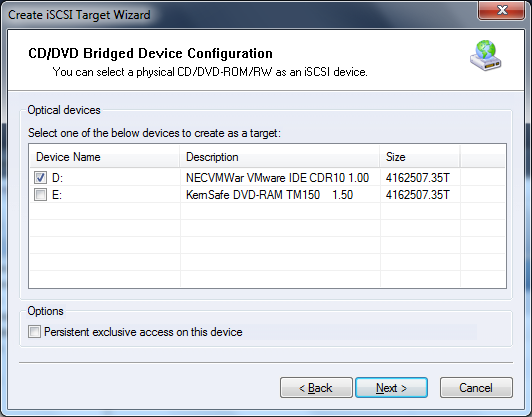
Click Next to continue. Step 3. Select the physical CD/DVD drive from the list.
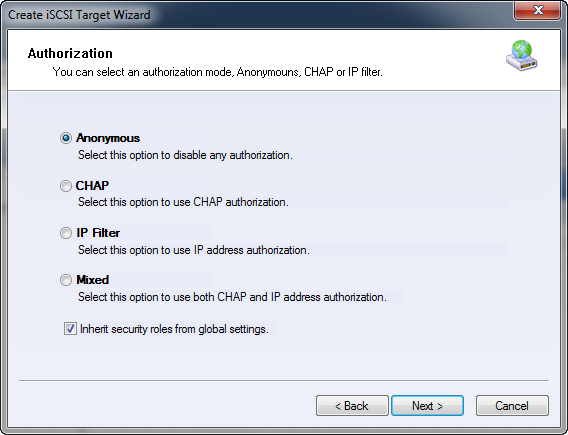
If you enable Persistent exclusive access on this device, the exported drive can be used exclusively by the iSCSI initiator. Click Next to continue. Step 4. Set the authorization mode.
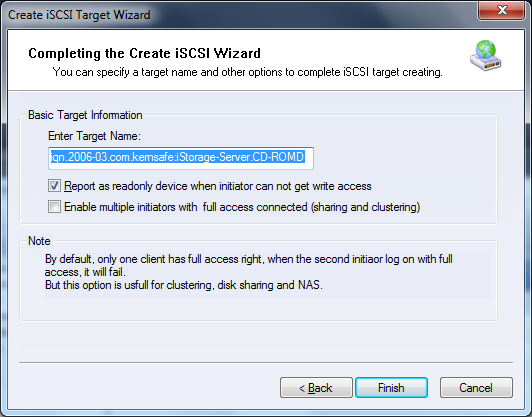
Select an authorization mode. If you need more information, see Authorization Mechanism. Click Next to continue. Step 5. Enter the target name.
Click Finish to complete iSCSI target creation. | |

SUPPORT
- Forum
- Support Ticket
- [email protected]

- Voice Mail:
- +1 (518) 289-4888