
iStorage Server Online Help

| About Standard Image File Device | KernSafe iSCSI SAN User Manual |
|
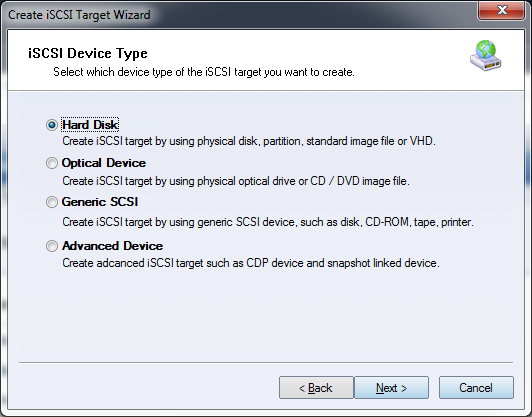
A standard image file device is backed by an image file stored on the host's local hard drive. KernSafe iSCSI SAN exports that file as an iSCSI device, and initiator I/O is translated automatically into operations on the image file. This is one of the most common ways to create an iSCSI target because it supports convenient migration, backup, and restore workflows. Creating an Image File Device Follow the steps below to create a standard image file device. Step 1. Select Service->Create Target from the Storage pop-up menu in the main interface of KernSafe iSCSI SAN.
Choose Hard Disk in the iSCSI Device Type group.
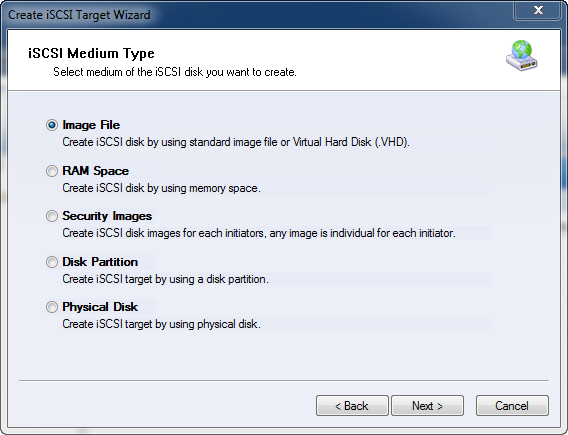
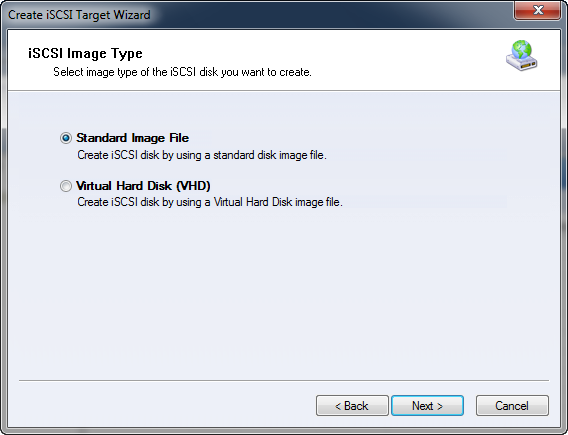
Choose Image File from the iSCSI Medium Type group. Step 2. Select image type of the iSCSI disk you want to create.
Select 'Standard Image File'. Press the Next button to continue. Step 3. Set image disk parameters.
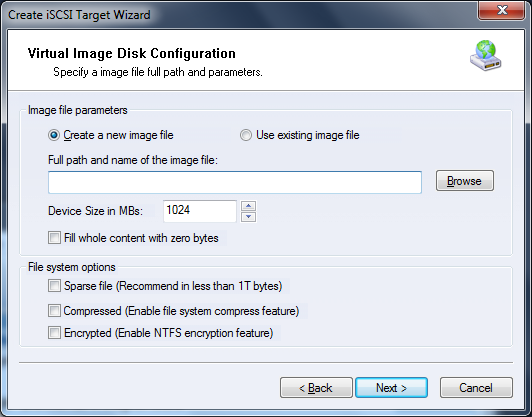
In the Image Disk Configuration window, you can either open an existing image file or create a new one. To create a new image file, choose the file location and specify the capacity. There are several options to choose from:
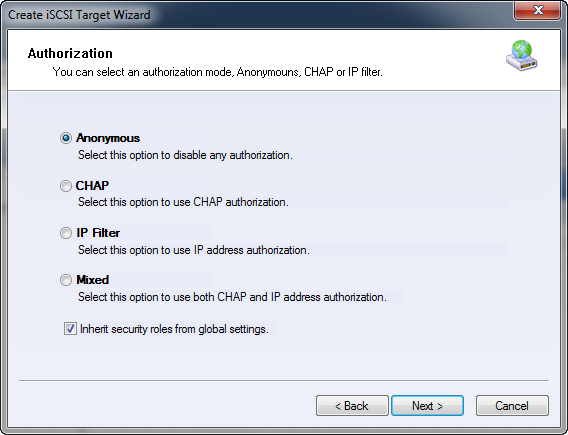
Press the Next button to continue. Step 4. Set the Authorization Mode.
Select an authorization mode. If you need more information, see the
topic
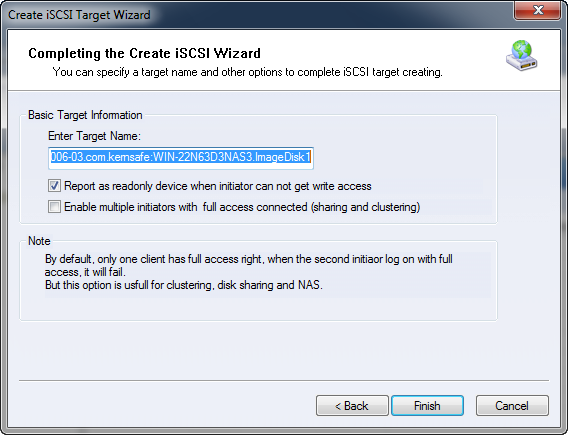
Authorization Mechanism. Step 5. Enter the Target Name.
Press the Finish button to complete iSCSI target creation. | |

SUPPORT
- Forum
- Support Ticket
- [email protected]

- Voice Mail:
- +1 (518) 289-4888