
iStorage Server Online Help

| About Physical Disk | KernSafe iSCSI SAN User Manual |
A Physical Disk device maps a local physical disk directly to an iSCSI disk. This allows initiators to perform low-level disk operations such as repartitioning the disk and formatting it with a new file system. All I/O is forwarded to the actual physical disk. Creating a Physical Disk Device Follow the steps below to create a Physical Disk target. Step 1. Select Service->Create Target from the KernSafe iSCSI SAN Management Console.
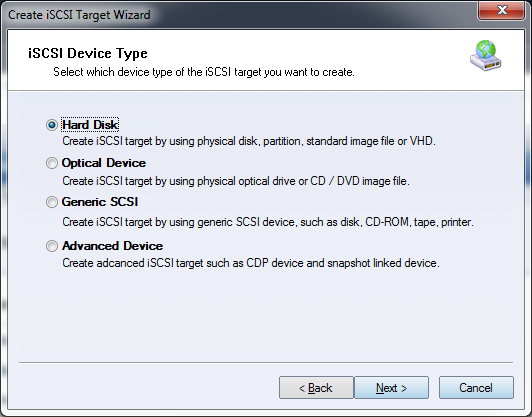
Choose Hard Disk in the iSCSI Device Type group. Press Next to continue.
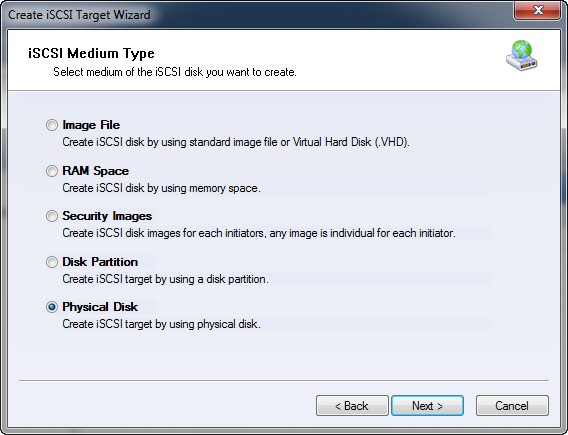
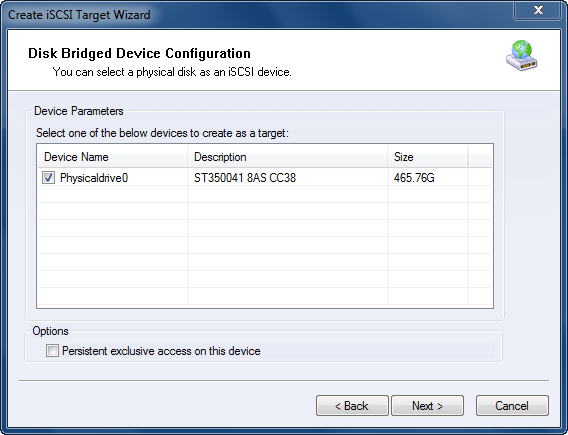
Choose Physical Disk in the iSCSI Device Type group. Press Next to continue. Step 2. Select a physical disk from the list.
Option: Persistent exclusive access on this device prevents the server itself from accessing the disk while it is exported. This is recommended when the disk will be shared with read/write access. Step 3. Set the authorization mode.
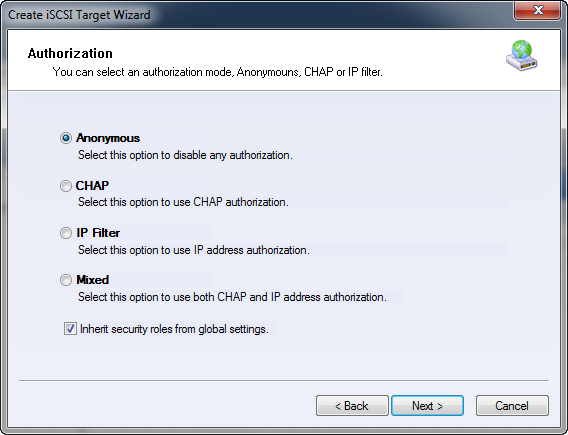
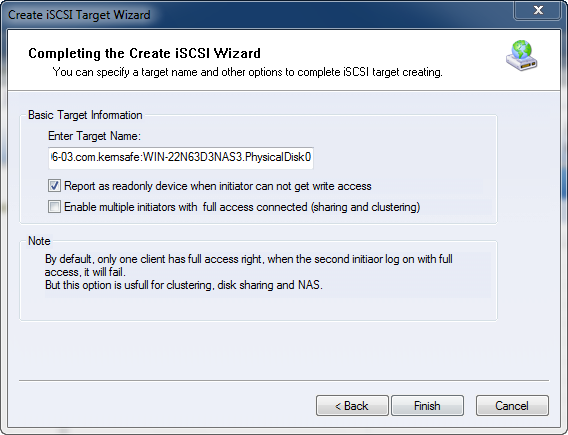
Select an authorization mode. If you need more information, see Authorization Mechanism. Press Next to continue. Step 4. Enter the target name.
Press Finish to complete device creation. | |

SUPPORT
- Forum
- Support Ticket
- [email protected]

- Voice Mail:
- +1 (518) 289-4888