
iStorage Server Online Help

| About Security Images | KernSafe iSCSI SAN User Manual |
|
A security image file disk is similar to a standard image file device, but it assigns a unique image file to each authenticated user. Each user stores data in a private image file, and one user cannot access another user's iSCSI device. This provides a higher level of privacy and isolation. Creating a Security Image File Disk Device Follow the steps below to create a security image disk device. Step 1. Select Service-> Create Target from the Storage pop-up menu in the main interface of KernSafe iSCSI SAN Management Console.
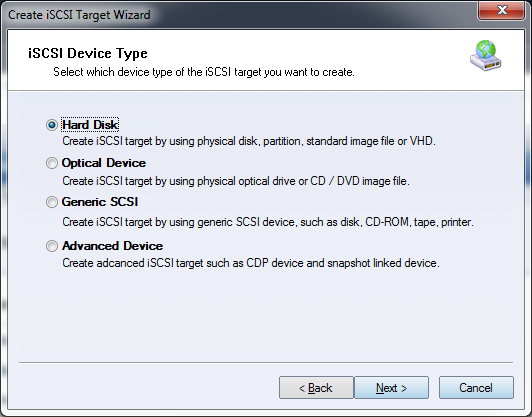
Choose Hard Disk in the iSCSI Device Type group. Click Next to continue.
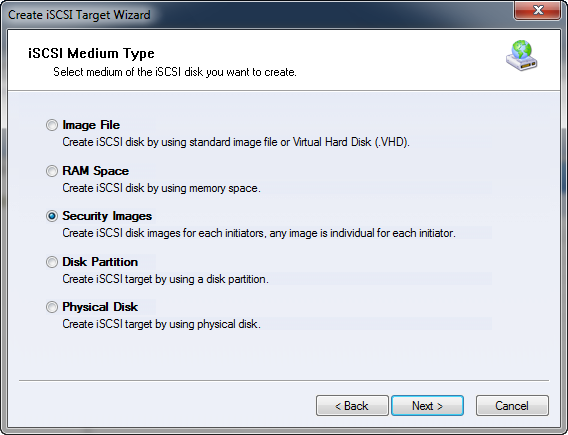
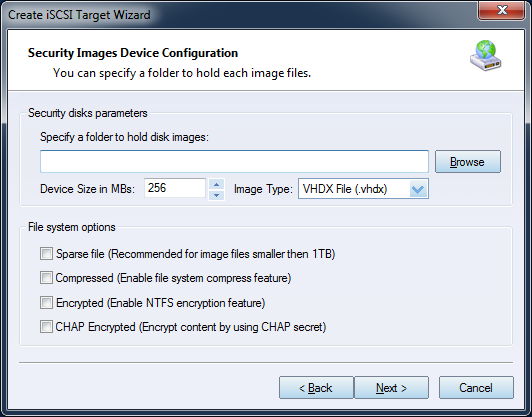
Choose Security Images in the iSCSI Device Type group, then click Next. Step 2. Set the device parameters. Creating a security image file disk is similar to creating a standard image file disk. The main difference is that you specify a directory instead of a single file. KernSafe iSCSI SAN automatically creates separate image files for users under the selected folder. Click Browse to select the folder and specify the device size. If you select Use sparse file on NTFS file system, disk space is allocated only as data is written.
Available options include:
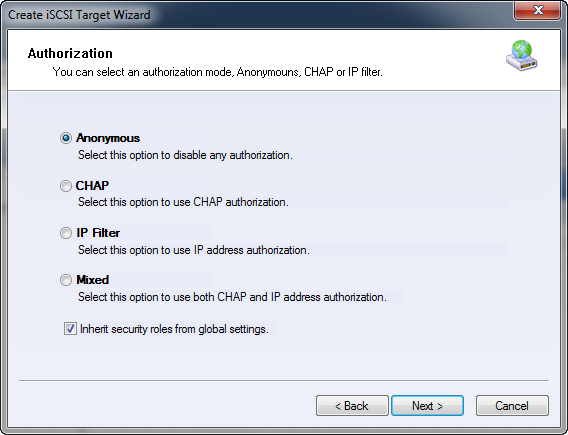
Step 3. Set the authorization mode.
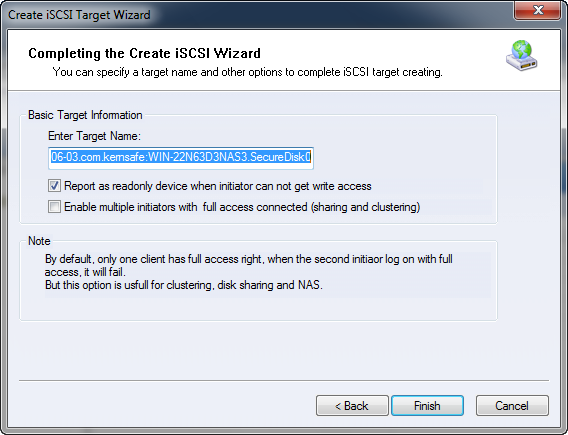
Select an authorization mode. If you need more information, see Authorization Mechanism. Click Next to continue. Step 4. Enter the target name.
Click Finish to complete iSCSI target creation. | |

SUPPORT
- Forum
- Support Ticket
- [email protected]

- Voice Mail:
- +1 (518) 289-4888