
iStorage Server Online Help

| About Create Virtual Optical Device | KernSafe iSCSI SAN User Manual |
|
A virtual CD/DVD device is created from an image file stored on KernSafe iSCSI SAN. Supported image formats include .iso, .bin, .mdf, and .cdi. The server maps the selected image file to a virtual CD-ROM device that initiators can access over iSCSI. This is commonly used to distribute installation media or other read-only content. Creating a Virtual Optical Device Follow the steps below to create a virtual optical device. Step 1. Select Service-> Create Target from the Storage pop-up menu in the main interface of KernSafe iSCSI SAN Management Console.
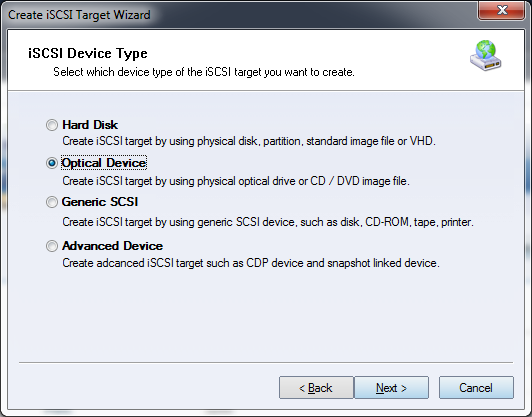
Choose Optical Device in the iSCSI Device Type group. Click Next to continue.
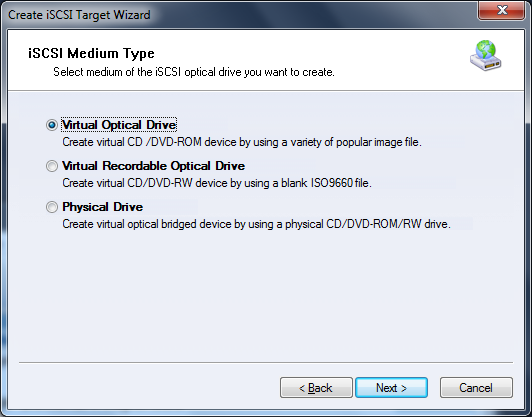
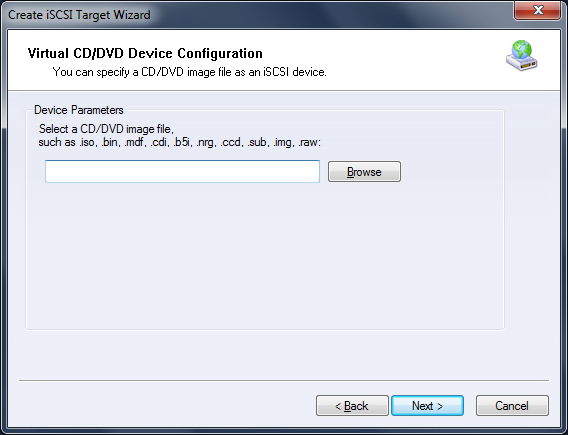
Choose Virtual Optical Drive in the iSCSI Medium Type group. Click Next to continue. Step 2. Click Browse to select an image file.
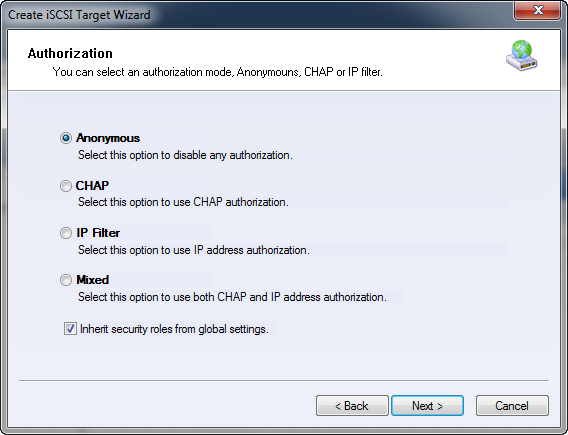
Click Next to continue. Step 3. Set the authorization mode.
Select an authorization mode. If you need more information, see
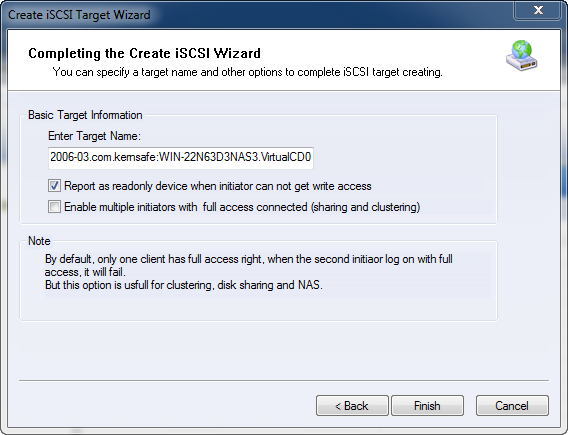
Authorization Mechanism. Step 4. Enter the target name.
Click Finish to complete iSCSI target creation. | |

SUPPORT
- Forum
- Support Ticket
- [email protected]

- Voice Mail:
- +1 (518) 289-4888