
iStorage Server Online Help

| VHD Snapshot Management | KernSafe iSCSI SAN User Manual |
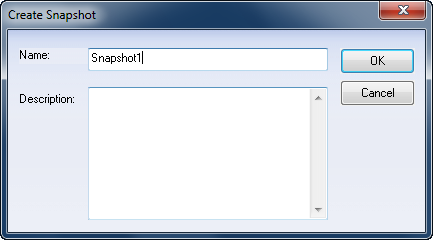
KernSafe iSCSI SAN supports snapshots for Microsoft Virtual Hard Disk (VHD) files and standard disk image files (.img). A snapshot captures the state of an iSCSI device at a specific point in time, which makes backup, rollback, and recovery operations much easier. To create a snapshot, right-click the target in the KernSafe iSCSI SAN Management Console and select Take Snapshot. The Create Snapshot dialog box appears.
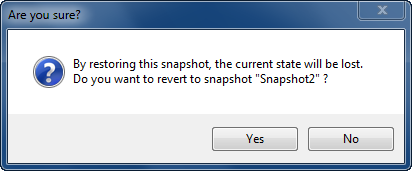
Enter a value in the Name and Description fields, then click OK to create the snapshot. To revert to a snapshot, select Revert Snapshot. A confirmation dialog box appears.
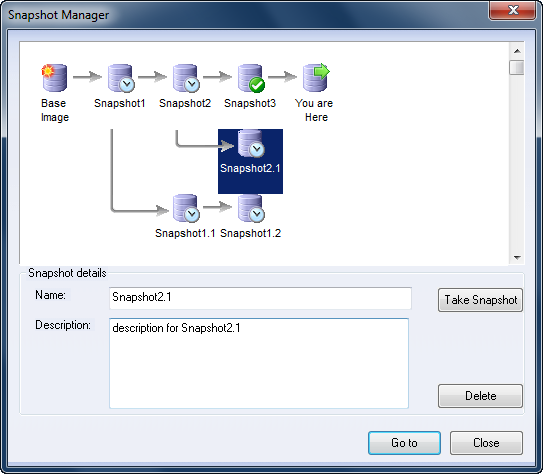
Click Yes to restore the target to the selected snapshot. To manage existing snapshots, select Snapshot Manager. A graphical snapshot management dialog box appears.
In the Snapshot Manager dialog box, you can create additional snapshots, rename a snapshot, edit its description, or delete it. The diagram in the dialog box shows the snapshot history and relationships so that you can choose the correct restore point. |
|

SUPPORT
- Forum
- Support Ticket
- [email protected]

- Voice Mail:
- +1 (518) 289-4888