
iStorage Server Online Help

| Manage User Accounts | KernSafe iSCSI SAN User Manual |
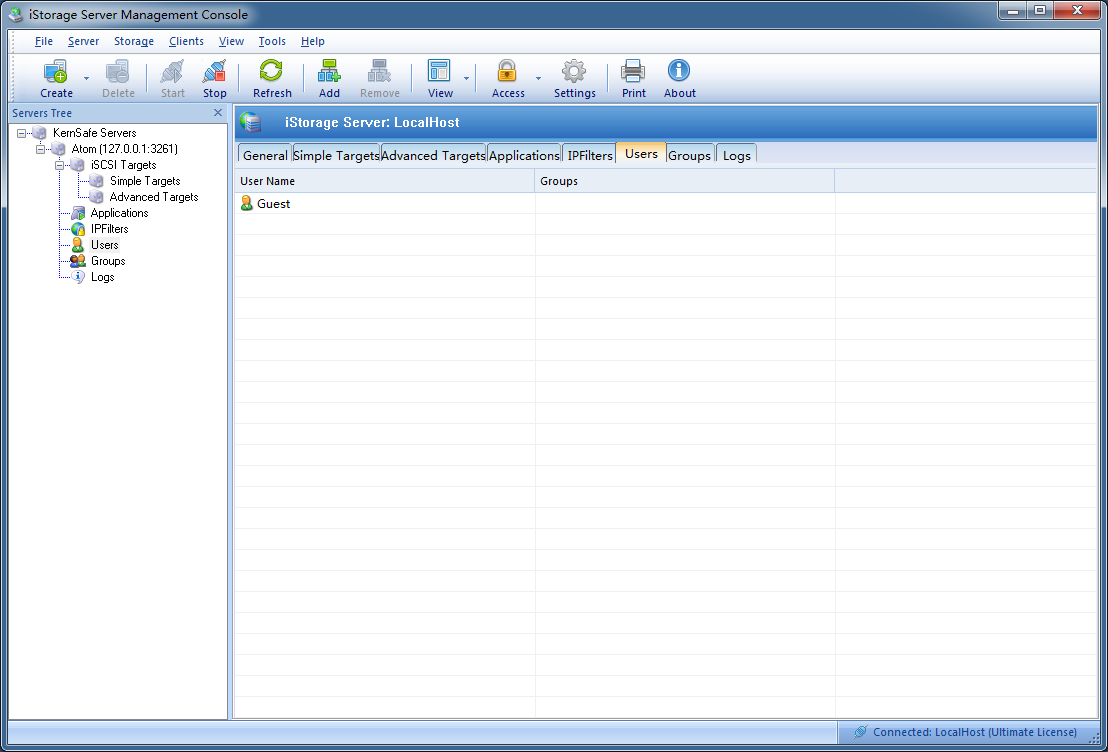
User account management in KernSafe iSCSI SAN includes both user accounts and user groups. Use the Management Console to create, edit, and remove them. User Management To add a new account, select Users in the left tree and click Add on the toolbar.
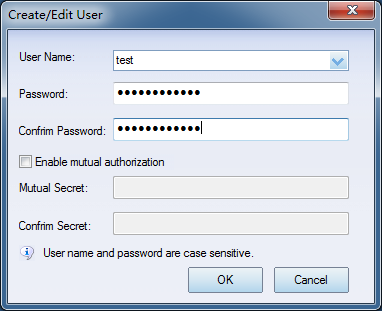
In the Create/Edit User dialog box, enter the user name, password, and confirmation password to create the account.
For stronger security, the password should be between 12 and 16 characters and include:
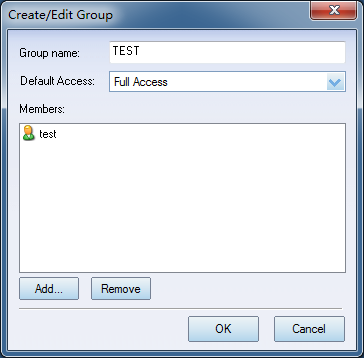
Keep the password secure at all times. It is required when the user establishes an iSCSI connection to KernSafe iSCSI SAN. If you want to use this account for mutual authentication, select Enable mutual authorization and enter the mutual secret. The value is case-sensitive. To edit an existing user, select the account and choose Properties from the shortcut menu. You can then update the password and other settings in the Create/Edit User dialog box. To delete a user account, select the user and click Remove on the toolbar. User Group Management Permissions for iSCSI SAN devices are assigned to user groups rather than individual user accounts. Create at least one group and then use that group when you define target permissions. To add a new user group, select Groups and click Add on the toolbar.
In the Create/Edit Group dialog box, enter the group name and click Add to include user accounts. To remove a user from the group, select the user name and click Remove. Click OK to save the changes. To edit a group, select it and choose Properties from the shortcut menu. To delete a user group, select the group and click Remove on the toolbar. |
|

SUPPORT
- Forum
- Support Ticket
- [email protected]

- Voice Mail:
- +1 (518) 289-4888