
iStorage Server Online Help

| iSCSI Service Configuration | KernSafe iSCSI SAN User Manual |
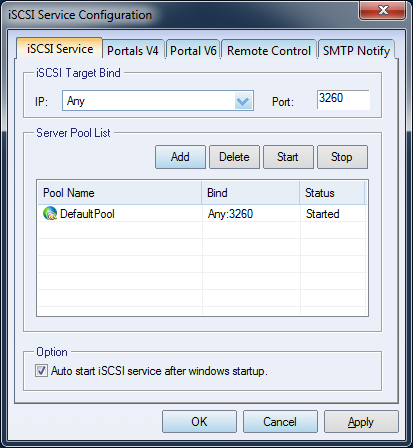
| Click the Settings button on the toolbar in the KernSafe iSCSI SAN main interface to open the iSCSI Service Configuration window. The main options are described below.
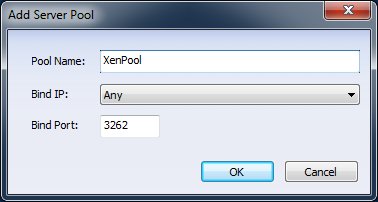
1. iSCSI Target Bind Select the IPv4 or IPv6 address and the TCP port used by the KernSafe iSCSI SAN service. Any means that the service listens on all Ethernet interfaces. The default iSCSI port is 3260. 2. Server Pool Management The Server Pool feature allows the iSCSI service to listen on multiple IP addresses and ports. Add Server Pool
Delete: Removes the selected server pool. Option Select Auto start server after Windows startup if you want the service to start automatically when Windows starts. Press OK to save the settings. |
|

SUPPORT
- Forum
- Support Ticket
- [email protected]

- Voice Mail:
- +1 (518) 289-4888