
iStorage Server Online Help

| About Multiple LUNs Device | KernSafe iSCSI SAN User Manual |
|
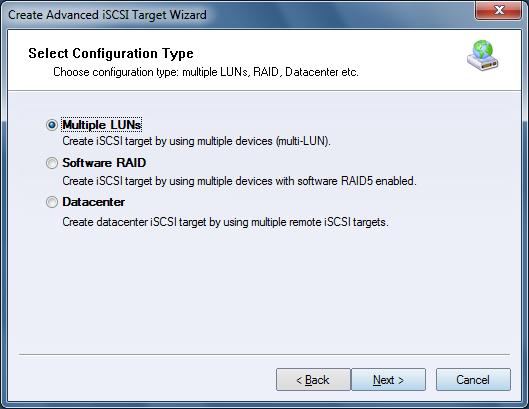
Multiple LUNs, introduced in KernSafe iSCSI SAN 4.0, lets you combine multiple simple devices into a single advanced target. This is useful when initiators need to log on to several devices on the same server at the same time. Creating a Multiple LUNs Device Follow the steps below to create a Multiple LUNs device. Step 1. Right-click Advanced Targets in the left tree of the KernSafe iSCSI SAN Management Console and choose Create Target.
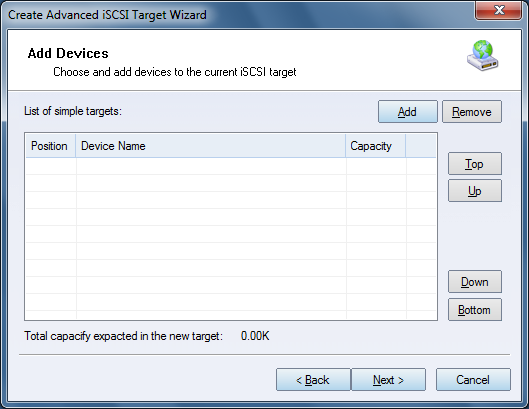
Choose Multiple LUNs in the Configuration Type window. Step 2. Add simple targets to the Multiple LUNs target.
Press Add to select the simple targets.
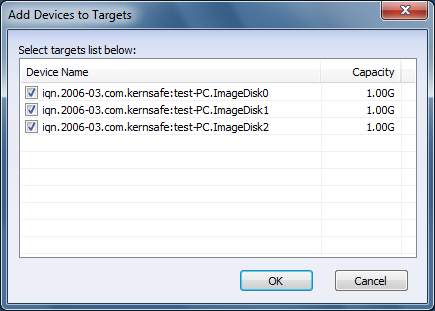
Check the devices that you want to use and press OK. Note: Select at least two devices.
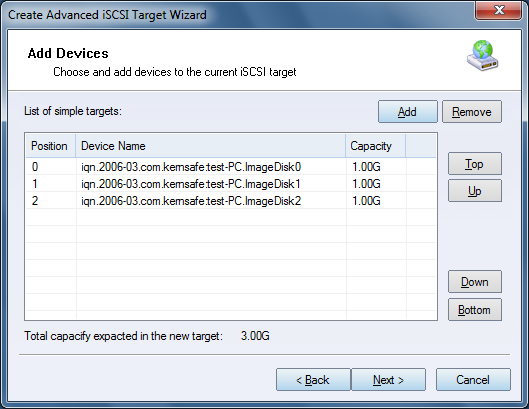
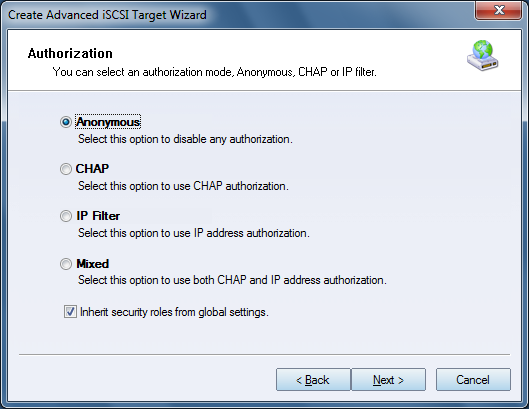
Position corresponds to the LUN ID. You can change the order of the devices by clicking Top, Up, Down, or Bottom. Step 3. Set the Authorization Mode.
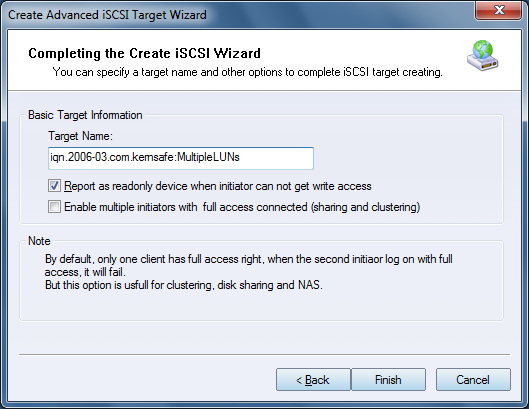
Select an authorization mode. If you need more information, see Authorization Mechanism. Press the Next button to continue. Step 4. Enter the Target Name.
Press the Finish button to complete iSCSI target creation. | |

SUPPORT
- Forum
- Support Ticket
- [email protected]

- Voice Mail:
- +1 (518) 289-4888