
iStorage Server Online Help

| About RAID5 Device | KernSafe iSCSI SAN User Manual |
|
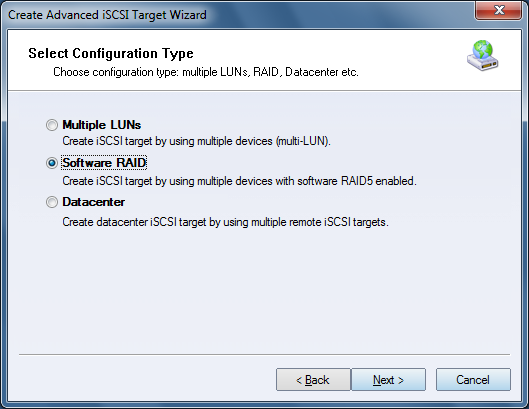
Software RAID5 is a feature in KernSafe iSCSI SAN that provides fault-tolerant storage by distributing data and parity across multiple devices. Unlike RAID1, RAID5 does not require full duplication of data, so usable capacity is higher while still providing redundancy. Creating a RAID5 Device Follow the steps below to create a RAID5 device. Step 1. Right-click Advanced Targets in the left tree of the KernSafe iSCSI SAN Management Console and choose Create Target.
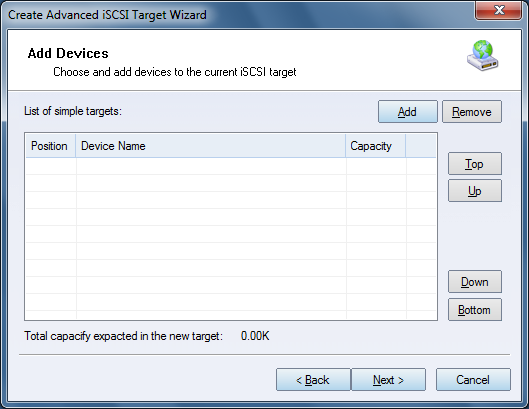
Select Software RAID in the Configuration Type group. Step 2. Add the simple devices that will participate in the RAID5 set.
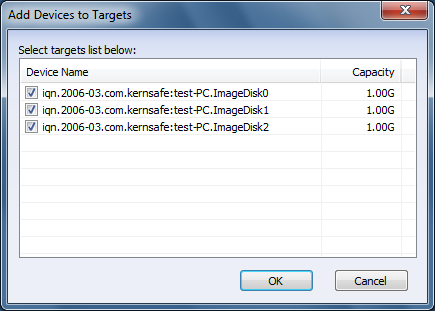
Click Add to select simple devices.
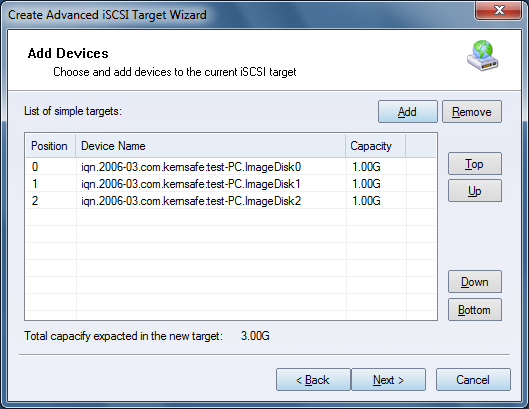
Select the devices you want to use and click OK to add them. Note: A software RAID5 set requires at least three devices.
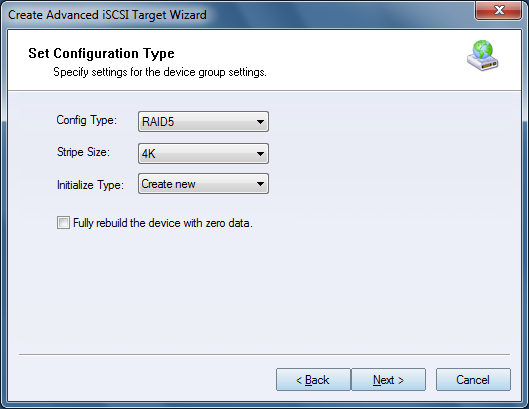
Click Next to continue. Step 3. Configure the device group settings. Configure the RAID type, Stripe Size, and Initialize Type.
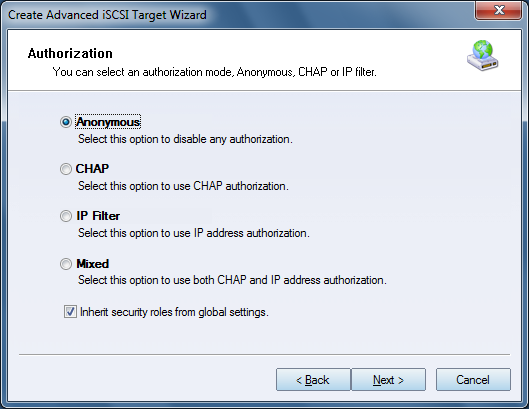
Note: RAID writes data across the device set in stripes. Stripe Size controls the amount of data written to each device in each stripe. Initialize Type provides two options: Create new and Use existing device. Step 4. Set the authorization mode.
Select an authorization mode. If you need more information, see
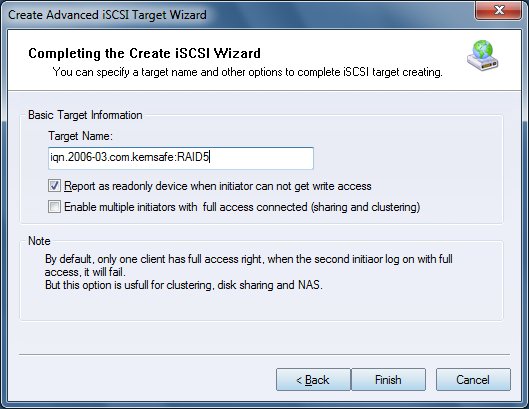
Authorization Mechanism. Step 5. Enter the target name.
Click Finish to complete RAID5 creation. | |

SUPPORT
- Forum
- Support Ticket
- [email protected]

- Voice Mail:
- +1 (518) 289-4888