
iStorage Server Online Help

| IPv4 Portal Manager | KernSafe iSCSI SAN User Manual |
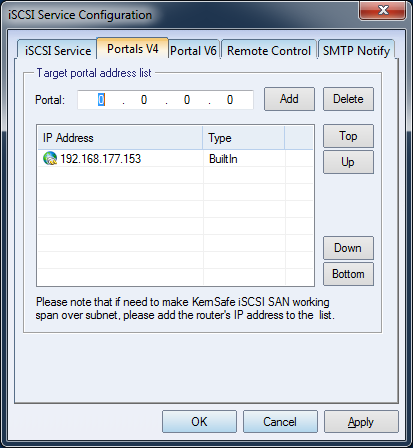
| Click the Settings button on the toolbar in the KernSafe iSCSI SAN main interface to open the iSCSI Service Configuration window. The IPv4 Portal Manager is shown below.
The IP list contains three entry types: Built-In, Disabled, and Manual. Press OK to save the settings. |
|

SUPPORT
- Forum
- Support Ticket
- [email protected]

- Voice Mail:
- +1 (518) 289-4888