
iStorage Server Online Help

| IPv6 Portal Manager | KernSafe iSCSI SAN User Manual |
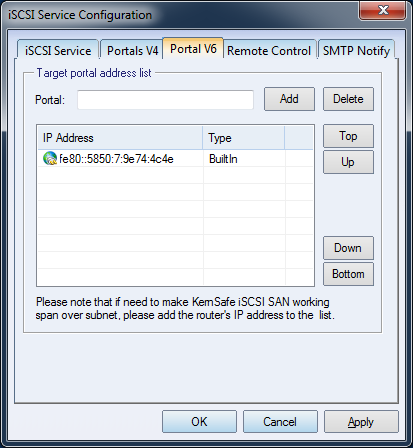
| Click the Settings button on the toolbar in the KernSafe iSCSI SAN main interface to open the iSCSI Service Configuration window. The IPv6 Portal Manager is shown below.
The IP list contains three entry types: Built-In, Disabled, and Manual. Built-In IPv6 addresses are detected automatically from the server's Ethernet interfaces when KernSafe iSCSI SAN starts. If you remove one of these entries, it changes to Disabled. Any address that you add manually appears as Manual. If the service must operate behind a routed or firewalled network, add the required routed address to this list. |
|

SUPPORT
- Forum
- Support Ticket
- [email protected]

- Voice Mail:
- +1 (518) 289-4888