
iStorage Server Online Help

| Volume
Shadow Copy |
KernSafe iSCSI SAN User Manual |
|
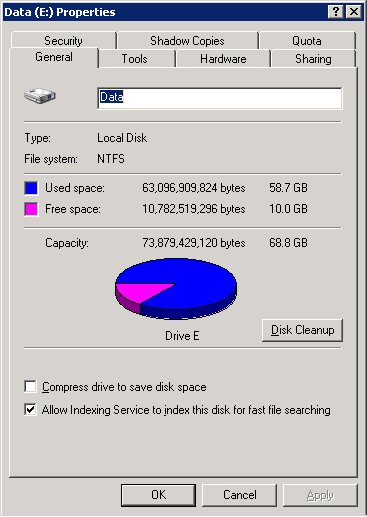
KernSafe iSCSI SAN is compatible with Microsoft Volume Shadow Copy Service (VSS) on Windows Server platforms. VSS provides point-in-time snapshots that help protect data and support recovery operations for the volumes that store iSCSI target image files. To use VSS snapshots, open the server that is running KernSafe iSCSI SAN. Right-click the drive that stores the iSCSI target image files, then select Properties. The Drive (X:) Properties dialog box appears.
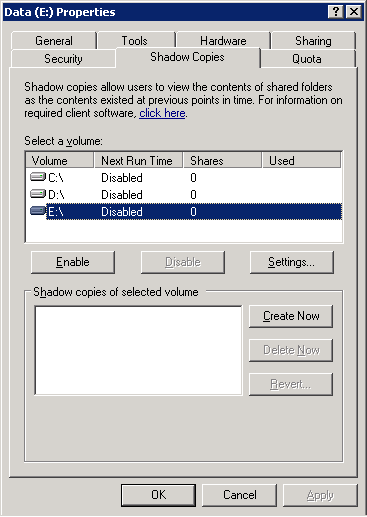
Open the Shadow Copies tab.
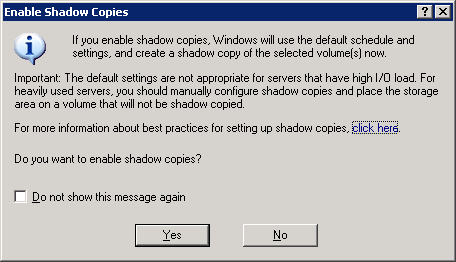
Select the volume that you want to protect, then click Enable. The Enable Shadow Copies dialog box appears.
Click Yes to continue.
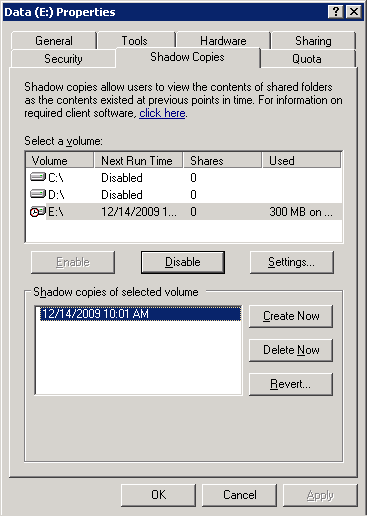
To create a new snapshot immediately, click Create Now. To revert the volume to a previous snapshot, click Revert. To delete a snapshot, select the snapshot and click Delete Now. |
|

SUPPORT
- Forum
- Support Ticket
- [email protected]

- Voice Mail:
- +1 (518) 289-4888